
AI Writing

Spike

Spike makes email easier and more efficient.

Visit Website
Spike screenshot

Overview

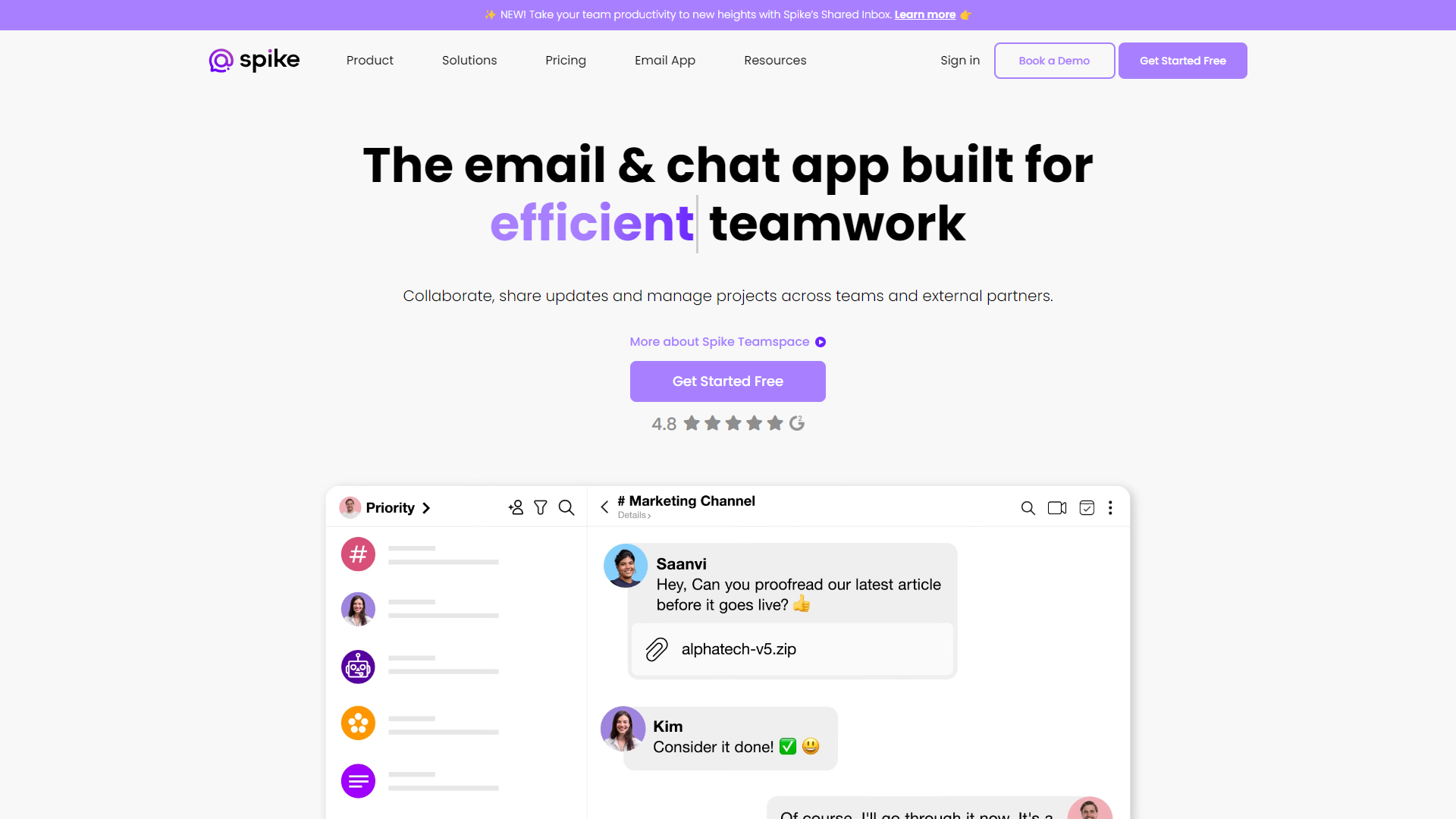
Spike is an innovative email application designed to transform traditional email into an enjoyable and straightforward experience. With its unique features, Spike aims to declutter your inbox and bring conversations to the forefront. Whether you are at work, at home, or on the go, Spike ensures that managing your emails is quick and hassle-free.

The app combines emails, chats, and tasks in one platform, allowing users to communicate in a more collaborative way. This integration helps you keep everything organized and accessible, eliminating the need to switch between multiple applications. Spike is perfect for both personal and professional use, making it a versatile choice for busy individuals.

With its user-friendly interface and smart functionality, Spike is more than just an email app; it's a new way to communicate. Its focus on conversational emails instead of traditional threads helps you stay focused and connected with others, making your digital communication smoother than ever before.

Pros

  • User-Friendly Interface
  • Enhanced Productivity
  • Time-Saving
  • Collaborative Features
  • Cross-Platform Availability

Cons

  • Learning Curve
  • Occasional Bugs
  • Limited Offline Access
  • Subscription Costs
  • Notification Overload

Key features

Unified Messaging

Combines email, chat, and tasks into one simple interface, making communication easier.

Smart Inbox

Organizes your emails automatically, sorting out what matters most and letting you focus.

Real-Time Collaboration

Share tasks and notes with your team, making it easier to work together.

Snooze Emails

Temporarily hide emails until you're ready to deal with them, reducing inbox clutter.

Voice Messaging

Send quick voice notes instead of typing long messages for faster communication.

Cross-Platform Support

Use Spike on various devices like smartphones, tablets, and desktops without losing any data.

Customizable Themes

Personalize your app with different themes to suit your style and preferences.

Integrated Calendar

Manage your schedule within Spike, allowing for easy access to events and meetings.

Pricing

PlanPriceDescription
Small-BusinessN/A-

Feature Ratings

Based on real user reviews, here's how users rate different features of this product.

Messenger

Sequencing91%

Based on 25 Spike reviews and verified by the G2 Product R&D team. Mapped-out responses for conversations.

Based on 25 reviews
AI93%

Based on 23 Spike reviews and verified by the G2 Product R&D team. Artificial intelligence (AI) and chatbot involvement.

Based on 23 reviews
Live Chat89%

Based on 24 Spike reviews and verified by the G2 Product R&D team. Live human component of conversations.

Based on 24 reviews
Customization Interface91%

Based on 25 Spike reviews and verified by the G2 Product R&D team. Quality of interface for designing and customizing conversation maps.

Based on 25 reviews

Channels

Social Media87%

Based on 21 Spike reviews and verified by the G2 Product R&D team. Conversations enacted over social media.

Based on 21 reviews
Website84%

Based on 20 Spike reviews and verified by the G2 Product R&D team. Conversations enacted through embedding or pop-ups on websites.

Based on 20 reviews
Text Message (SMS)86%

Based on 19 Spike reviews and verified by the G2 Product R&D team. Conversations enacted through text message (SMS).

Based on 19 reviews
Voice Assistants86%

Based on 20 Spike reviews and verified by the G2 Product R&D team. Conversations enacted through voice assistants.

Based on 20 reviews
Other82%

Based on 20 Spike reviews and verified by the G2 Product R&D team. Conversations enacted through other channels.

Based on 20 reviews

Customers

Targeting88%

Based on 20 Spike reviews and verified by the G2 Product R&D team. Overall quality of customer targeting based on needs or situations.

Based on 20 reviews
Profiles86%

Creation and modification of customer profiles based on conversations. This feature was mentioned in 22 Spike reviews.

Based on 22 reviews

Business Instant Messaging

File Sharing90%

As reported in 56 Spike reviews. Allows users to send and open various file types.

Based on 56 reviews
Notifications92%

Based on 59 Spike reviews. Notifies users when they have been contacted or tagged.

Based on 59 reviews
Search89%

Message content search capability. This feature was mentioned in 59 Spike reviews.

Based on 59 reviews
Mobile Application93%

Software can be accessed through a downloadable mobile application. This feature was mentioned in 60 Spike reviews.

Based on 60 reviews
Web Application92%

Software can be accessed through a downloadable desktop app or a cloud-based site. 55 reviewers of Spike have provided feedback on this feature.

Based on 55 reviews

Business Instant Messaging

Audio Conferencing89%

As reported in 48 Spike reviews. Allows users to communicate via audio call.

Based on 48 reviews
Video Conferencing85%

Allows users to communicate via video call. This feature was mentioned in 47 Spike reviews.

Based on 47 reviews

Grammar

Grammar Check

Checks for grammar errors like misspellings, sentence run-on, etc.

Tone Check

Evaulates emotional tone of words written.

Sentence Formatting

Ensures sentences are formatted properly.

Formatting

Plagiarism Check

Checks for instances of plagirism.

Style Editor

Evalutes that work has been done within the guildlines of a given writing style (MLA, APA, Chicago, etc.).

Citation Finder

Finds and formats citations for works mentioned.

Content

Idea Recommendation

Recommends ideas for topics based on the content written.

Content Generation

Generates sentences, paragraphs, or papers based on sample text or a topic.

Form Generation

Generates a form based on information presented.

Product Type

Standalone Application

Application is available as a standlone product.

Plugin

Application is available as a plugin used with another document creation product.

Productivity Tools

Notes

Allows users to leave notes or comments on emails or relevant cases.

Internal Discussion

Provides a dedicated space or a thread feature that allows for long-form discussion.

Assignments and Tasks

Offer in-application assignment and task tracking functionality.

Workflows

Allows users to create and follow predetermined workflows attached to actions.

Templates

Allows users to create canned answers or templates for email responses.

Integrations

Integrates without outside software to provide additional functionality or pull information.

Tagging System

Provides a tagging system to allow users to sort emails by relevant subject.

Analytics

Trends

Analyzes trends in email content and resolution.

Performance Tracking

Tracks performance and productivity of users inside the application.

Email Tracking

Tracks email analytics like emails opened, how long the email was opened for, etc.

Inbox Tools

Unified Inbox95%

Based on 67 Spike reviews. Consolidates multiple email accounts into one viewable platform.

Based on 67 reviews
Filters90%

Allows users to filter their emails by sender, date received, opened, etc. 63 reviewers of Spike have provided feedback on this feature.

Based on 63 reviews
Reminders92%

Based on 62 Spike reviews. Gives users reminders to send or reply to emails.

Based on 62 reviews
Notifications92%

Based on 60 Spike reviews. Provides notifications when users receive new emails.

Based on 60 reviews

Coordination Tools

Calendar86%

Provides a native calendar. 59 reviewers of Spike have provided feedback on this feature.

Based on 59 reviews
Contacts86%

As reported in 61 Spike reviews. Provides a native contact book.

Based on 61 reviews
Task Management85%

As reported in 54 Spike reviews. Offers built-in task creation and assignment functionality.

Based on 54 reviews

Software Options

Desktop Application93%

Software available as a downloadable desktop application. 65 reviewers of Spike have provided feedback on this feature.

Based on 65 reviews
Mobile Application92%

Based on 66 Spike reviews. Software available as a mobile application.

Based on 66 reviews

Collaboration Tools

Screen Sharing92%

Based on 24 Spike reviews and verified by the G2 Product R&D team. Able to share your desktop screen or an application with the rest of the conference.

Based on 24 reviews
Presentations89%

Presenters can cue up a Powerpoint presentation or other slideshow for display in the conference. This feature was mentioned in 17 Spike reviews.

Based on 17 reviews
Whiteboarding90%

As reported in 16 Spike reviews. Provides a virtual whiteboard for collaborative use.

Based on 16 reviews
Live Chat89%

Based on 26 Spike reviews and verified by the G2 Product R&D team. Conferences have a text chat feature.

Based on 26 reviews

Meeting Coordination

Scheduling82%

Based on 31 Spike reviews and verified by the G2 Product R&D team. Scheduling web meetings is streamlined, intuitive, and integrated into calendar and email software.

Based on 31 reviews
Participant Permissions92%

Based on 26 Spike reviews and verified by the G2 Product R&D team. The ability to grant users access to conferences as moderators, presenters or participants--individually or based on user role or group.

Based on 26 reviews
One-Click Join90%

Based on 23 Spike reviews and verified by the G2 Product R&D team. Allows users to join a conference without requiring a download or a sign-in

Based on 23 reviews

Software Type

Mobile90%

Based on 31 Spike reviews and verified by the G2 Product R&D team. Offers a mobile app or mobile optimized website to video conference from smartphones or tablets.

Based on 31 reviews
Browser Application90%

Based on 26 Spike reviews and verified by the G2 Product R&D team. Conferences can be launched within a browser without requiring a user to download an application to their desktop.

Based on 26 reviews
Desktop Application90%

Based on 25 Spike reviews and verified by the G2 Product R&D team. Software is available as a downloadable desktop application.

Based on 25 reviews

Calendar View

Multi-Calendar ViewView full feature definition91%

As reported in 25 Spike reviews. Ability to view multiple calendars at once from within a single window

Based on 25 reviews
Customizable Viewing88%

Based on 27 Spike reviews. Provides customizable viewing options (e.g., day, week, month, year)

Based on 27 reviews

Shared Calendar

Multiple Calendar Management90%

Based on 26 Spike reviews. Ability to manage multiple calendars at a time

Based on 26 reviews

Integration

Sync Multiple Calendars93%

Based on 26 Spike reviews. The ability to automatically sync calendars across different calendar softwares (i.e. ability to sync a Google Calendar with an Outlook calendar)

Based on 26 reviews
Import Events91%

Based on 24 Spike reviews. Ability to import events from an existing account or another calendar

Based on 24 reviews

Encryption Techniques - Email Encryption

Encryption Algorithms

Supports various encryption algorithms including AES (Advanced Encryption Standard), RSA (Rivest-Shamir-Adleman), Twofish, and Pretty Good Privacy (PGP).

Transport Encryption

Encrypts the email during transit between email servers, preventing interception by third parties.

End-to-End Encryption

Encrypts the message on the sender's device and decrypts it only on the recipient's device, ensuring that only the sender and recipient can read it.

Authentication, Verification, and Access Controls - Email Encryption

Revocation Mechanisms

Allows users to revoke access to encrypted emails or keys in case of compromise.

Access Controls

Enables users to set permissions on who can access, read, or modify their encrypted emails.

Digital Signatures

Allows senders to sign their emails cryptographically, providing proof of authenticity and integrity.

Certificate Authorities

Verifies the identities of individuals or organizations through trusted third-party certificate authorities.

Security Enhancements and Auditing - Email Encryption

Malware Scanning

Integrates with antivirus solutions to scan email attachments for malicious content.

Reporting

Generates reports on encryption usage, compliance status, and security incidents.

Audit Trails

Logs and tracks encryption-related activities for compliance, troubleshooting, and security analysis.

Data Loss Prevention (DLP)

Offers DLP features to prevent accidental or unauthorized transmission of sensitive information.

Integration, Compatibility, and Usability - Email Encryption

User-Friendly Interfaces

Offers intuitive interfaces for sending, receiving, and managing encrypted emails.

APIs and SDKs

Offers application programming interface (APIs) and software development kits (SDKs) for integrating encryption features into custom applications or workflows.

Email Client Integration

Integrates seamlessly with popular email clients, including Gmail, Microsoft Outlook, and Thunderbird.

Automation

Automatically performs encryption and decryption processes to minimize user effort and errors.

Generative AI - Business Instant Messaging

Text Summarization

Condenses long documents or text into a brief summary.

AI - Business Instant Messaging

AI Powered Search

Improves search functionality by prioritizing search results based on a user's previous interactions and relevance, enabling users to find messages, files, and people without the need for exact search terms.

Smart Notifications

Prioritizes user notifications by suggesting channels, people, and messages relevant to a user's work.

AI Powered Language Translation

Uses AI-powered language translation tools to translate messages in real-time.

Content Generation

Creates, assists, or automates the generation of text-based content within the platform.

Rating Distribution

5
202 (86.3%)
4
22 (9.4%)
3
3 (1.3%)
2
2 (0.9%)
1
5 (2.1%)

Company Information

LocationHerzliya, IL
Founded2014
Employees34
4.6
★★★★★
Based on 234 reviews
Arunmozhi B.Research ScholarEnterprise(> 1000 emp.)
October 30, 2024
★★★★★

Connect with e-mail: fast, reliable, and easy for messaging experience

What do you like best about Spike?

Spike app is very useful to reply our e-mails like chat with easy and fast in an interactive way. It also very helpful to rearrange our mail inbox with priority mails and make a to-do list. Spike also enabled for video calling feature for individual and groups.

Wh...

Read full review on G2 →
Shahid K.Fraud AnalystMid-Market(51-1000 emp.)
November 11, 2024
★★★★★

The change maker!

What do you like best about Spike?

Spike is a Gamechanger when it comes to instant messaging and internal messging , it has several features

And a great U.i which is so powerful and helpful for the users it is also a mail monitoring service which helps get rid if unwanted messages abd mails instant...

Read full review on G2 →
Neelam S.Software ManagerMid-Market(51-1000 emp.)
November 11, 2024
★★★★★

The Spike , Spikes !

What do you like best about Spike?

The spike is one of the social Media management and messaging product, it helps

Business as well as retail user to keep a track on email as well as help in communication with each other.

What do you dislike about Spike?

So far the knly concern is pricing, which is...

Read full review on G2 →
Umang L.Cyber Security EngineerMid-Market(51-1000 emp.)
November 12, 2024
★★★★★

The Short message King!

What do you like best about Spike?

Spike is one of the best platform for businesses which is providing An Amazing experience to the end users

Its ability to send messages internally is my favourite Feathre.

What do you dislike about Spike?

There is no dislikes, all good with spike

What problems i...

Read full review on G2 →
Anonymous ReviewerSmall-Business(50 or fewer emp.)
November 6, 2024
★★★★★

Spike is a good alternative for email and task management.

What do you like best about Spike?

What I love about Spike is that I can set it up on multiple devices to access my emails, notes and events no matter when. The text-to-speech feature is great for listening to my emails out loud while doing other tasks so I don't overlook any pending communication.

...

Read full review on G2 →

Alternative Ai Writing Assistant tools

Explore other ai writing assistant tools similar to Spike

FAQ

Here are some frequently asked questions about Spike.

What devices can I use Spike on?

Spike is available on Android, iOS, Windows, and Mac, allowing you to access your emails from various devices.

Is Spike free to use?

Spike offers both free and paid plans. The free plan has some limitations, while the paid plan unlocks all features.

Can I customize the Spike interface?

Yes, Spike allows you to change themes and customize the interface to better suit your preferences.

Does Spike have a built-in calendar?

Yes, Spike includes an integrated calendar for easy management of your events and meetings.

How does the snooze feature work?

The snooze feature allows you to temporarily hide emails so you can deal with them later when you’re ready.

Is my data safe with Spike?

Yes, Spike uses encryption to protect your data, ensuring your conversations are private and secure.

Can I use Spike for team collaboration?

Absolutely! Spike has special features that facilitate team collaboration, like shared tasks and notes.

What should I do if I experience technical issues?

If you face any technical problems, you can contact Spike's customer support for assistance.