
Overview
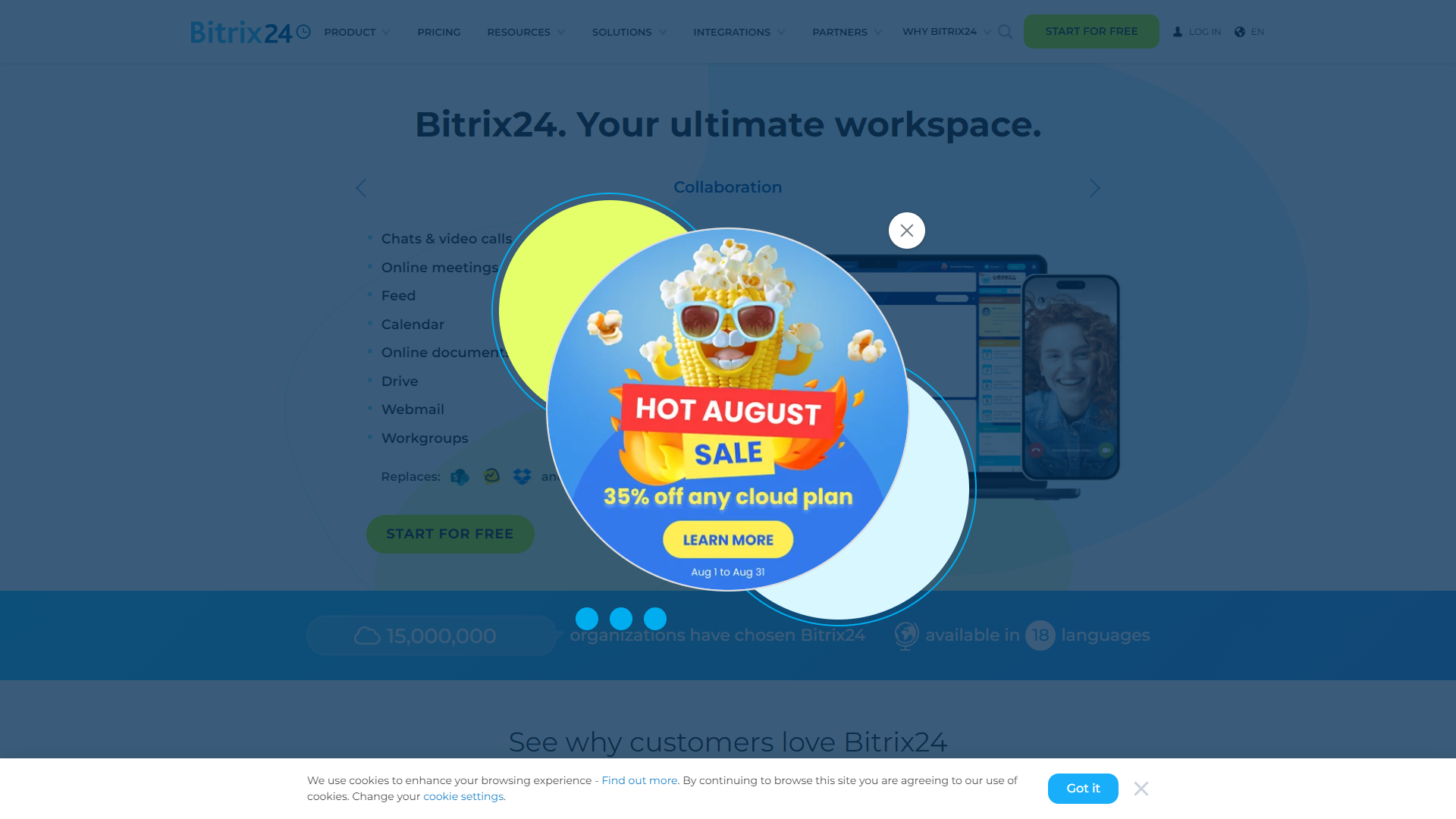
Bitrix24 is a cloud-based software that helps businesses of all sizes manage their projects and collaborate more effectively. It provides a range of tools that allow teams to work together remotely, communicate, and stay organized. With its user-friendly interface, Bitrix24 makes it easy for anyone to get started and use its many features.
The platform offers not only project management modules but also CRM systems, document management, and communication tools. This all-in-one solution means you do not need multiple apps to run your business. It's designed to improve efficiency and communication between team members.
Additionally, Bitrix24 has a free version that allows small teams to take advantage of its features without any cost. As businesses grow, they can upgrade to more advanced plans that provide enhanced tools and storage capabilities. Overall, Bitrix24 aims to empower teams by facilitating better collaboration and project tracking.
✓ Pros
- All-in-One Solution
- User-Friendly Interface
- Free Version Available
- Good Customer Support
- Mobile Access
✗ Cons
- Complex Features
- Limited Free Version
- Learning Curve
- Occasional Slow Performance
- Customization Limitations
Key features
Project Management
Organize tasks, allocate resources, track progress, and manage deadlines in one place.
CRM System
Keep track of your customer relationships and sales pipeline with an integrated customer relationship management tool.
Collaboration Tools
Foster teamwork with chat, video calls, and shared calendars that keep everyone in sync.
Document Management
Store, share, and collaborate on documents securely in the cloud.
Time Tracking
Monitor how much time is being spent on tasks and projects to improve productivity.
Automation
Streamline repetitive tasks with customizable automation workflows.
Reports and Analytics
Generate insightful reports to track performance and make informed decisions.
Mobile Access
Use Bitrix24 on the go with its mobile app for Android and iOS.
Pricing
| Plan | Price | Description |
|---|---|---|
| Basic | $49.00 (5 Users Per Month) | Effective collaboration for small businesses and sales teams |
| Standard | $99.00 (50 Users Per Month) | Advanced collaboration for your entire company and workgroups |
| Professional | $199.00 (100 Users Per Month) | Maximum sales and business process automation |
| Enterprise 250 | $399.00 (250 Users Per Month) | Digital transformation tools for large businesses and enterprises |
| Free Edition | Free | 100% free edition for unlimited users |
Feature Ratings
Based on real user reviews, here's how users rate different features of this product.
Platform
As reported in 43 Bitrix24 reviews. Allows administrators to customize to accomodate their unique processes. Includes ability to create custom objects, fields, rules, calculations, and views.
Based on 43 reviewsAs reported in 43 Bitrix24 reviews. Automates a process that requires a series of steps that typically require intervention by a several different users. Administrators can write rules to determine who and when a user needs to complete a step. Also includes notification of users when they need to take action.
Based on 43 reviewsGrant access to select data, features, objects, etc. based on the users, user role, groups, etc. This feature was mentioned in 42 Bitrix24 reviews.
Based on 42 reviewsEnables users to view and transact business with the same content in multiple languages and currencies. 40 reviewers of Bitrix24 have provided feedback on this feature.
Based on 40 reviewsAllows administrators to easily develop and test changes to the CRM deployment. After changes are made admins can easily migrate the changes into the "live" or "production" environment. This feature was mentioned in 37 Bitrix24 reviews.
Based on 37 reviewsAllows consuming, publishing and editing content from a central interface. Content management for CRM systems might include presentations, documents, images and other related electronic files. This feature was mentioned in 40 Bitrix24 reviews.
Based on 40 reviewsSoftware is consistently available (uptime) and allows users to complete tasks quickly because they are not waiting for the software to respond to an action they took. 41 reviewers of Bitrix24 have provided feedback on this feature.
Based on 41 reviewsAllows adminstrators to create templates that enable users to quickly generate dynamic documents in various formats based on the data stored in the application. This feature was mentioned in 37 Bitrix24 reviews.
Based on 37 reviewsAllows software to be easily used on multiple mobile devices include phone and tablet devices.
Allows users to customize chat colors, text, logos, and branding.
Grant access to select data, features, objects, etc. based on the users, user role, groups, etc.
Integrates with other customer service software to improve support and enhance functionality
Provides analytics tools that reveal important business metrics and track progress
Displays important metrics relating to performance
As reported in 45 Bitrix24 reviews. Allows organizations multi-national organizations to use tool effectively across multiple languages and currencies
Based on 45 reviewsSoftware is consistently available (up-time) and allows users to complete tasks quickly because they are not waiting for the software to respond to an action they took. This feature was mentioned in 49 Bitrix24 reviews.
Based on 49 reviewsAs reported in 46 Bitrix24 reviews. Access pre-built and custom reports to monitor user activity and storage
Based on 46 reviewsIntegrates to systems other systems of record such as CRM, ERP, Outlook, Sharepoint 46 reviewers of Bitrix24 have provided feedback on this feature.
Based on 46 reviewsEnables custom integration to external systems 39 reviewers of Bitrix24 have provided feedback on this feature.
Based on 39 reviewsSales Force Automation
As reported in 48 Bitrix24 reviews. Store and retrieve information associated to customer contacts and accounts. Track company-wide communication and information about contacts and accounts.
Based on 48 reviewsBased on 42 Bitrix24 reviews. Manage partners by tracking channel partner leads and sales opportunities. Provide a partner portal to collaborate with channels on sales opportunities and to share product, pricing, quoting, ordering, and training information
Based on 42 reviewsManage sales opportunities through their lifecycle from lead to order. Track stages, values, and probabilities of close. Manage sales pipelines by individual sales rep, team, region, and company-wide. 47 reviewers of Bitrix24 have provided feedback on this feature.
Based on 47 reviewsManage and track tasks and activities. Assign due dates and integrate to calendars to manage daily schedules and priorities. This feature was mentioned in 51 Bitrix24 reviews.
Based on 51 reviewsAs reported in 44 Bitrix24 reviews. Assign and manage sales quotas and territories. Track progress against quotas. Change as needed.
Based on 44 reviewsBased on 46 Bitrix24 reviews. Allows users to sync their Email, Calendar and Contact tools with their CRM system. Includes Microsoft Outlook and Google integration.
Based on 46 reviewsEnter product/part numbers and manage the prices associated with them. Typically functionality allows users to add products and prices to opportunities and quotes if these modules are provided within the same system. 43 reviewers of Bitrix24 have provided feedback on this feature.
Based on 43 reviewsBased on 45 Bitrix24 reviews. Allows users to create a quote to be provided to a customer that contain at least products, prices and associated discounts. Order management allows users to process orders that contain products, prices and associated discounts.
Based on 45 reviewsManagement of contracts made with customers. Contract management includes negotiating the terms and conditions in contracts and ensuring compliance with the terms and conditions, as well as documenting and agreeing on any changes or amendments that may arise during its implementation or execution. This feature was mentioned in 47 Bitrix24 reviews.
Based on 47 reviewsMarketing Automation
Based on 47 Bitrix24 reviews. Allows users to send email to contacts in bulk. Common features include: Built in Email templates, social media integration, Subscriber list management, sign up forms, success rate reports, AB testing and auto-responders.
Based on 47 reviewsAs reported in 46 Bitrix24 reviews. Optimizes the process for organizations to develop and deploy multiple-channel marketing campaigns to target groups or individuals and track the effect of those campaigns, by customer segment, over time.
Based on 46 reviewsAs reported in 52 Bitrix24 reviews. Allows users to manage and track leads though a process. The lead process typically involves steps such as: 1. Lead Generation, 2. Customer Inquiry, Inquiry Capture, Lead Filtering, Lead Grading, Lead Distribution and Lead Qualification.
Based on 52 reviewsEnables analysis of effectiveness of an organizations various marketing activities This feature was mentioned in 46 Bitrix24 reviews.
Based on 46 reviewsCustomer Support
As reported in 51 Bitrix24 reviews. Tracks issues/help requests reported by customers through the resolution process.
Based on 51 reviewsProvides a convenient way for customers to get answers to inquiries, post service issues, place orders, view order histories, and gain access to other information contained in the knowledge base. This feature was mentioned in 52 Bitrix24 reviews.
Based on 52 reviewsInformation repository that provides a means for information to be collected, organized, shared, searched and utilized. Allows customers to get answers to common questions. This feature was mentioned in 51 Bitrix24 reviews.
Based on 51 reviewsAllows customer support professionals access to all information required to support the customer including customer information, case history and related customer social activity. Common features include: call recording, analytics, workforce management, call script management, and compliance management. This feature was mentioned in 47 Bitrix24 reviews.
Based on 47 reviewsEnables analysis of customer support activities to optimize customer support professionals, processes and tools. This feature was mentioned in 51 Bitrix24 reviews.
Based on 51 reviewsIntegration
As reported in 41 Bitrix24 reviews. Ability to input, modify and extract data from the application in bulk through a structured file.
Based on 41 reviewsApplication Programming Interface - Specification for how the application communicates with other software. API's typically enable integration of data, logic, objects, etc with other software applications. This feature was mentioned in 41 Bitrix24 reviews.
Based on 41 reviewsBased on 39 Bitrix24 reviews. To what extent are there partner applications readily available for integrating into this product? Partner applications typically provide complementary, best of breed functionality not offered natively in this product.
Based on 39 reviewsThe ability to automatically sync calendars across different calendar softwares (i.e. ability to sync a Google Calendar with an Outlook calendar)
Ability to import events from an existing account or another calendar
Integrates an existing calendar with another software application, such as Microsoft Teams or Slack
Mobile & Social
Enables multiple users to interact by sharing information to achieve a common goal. Social collaboration focus's on the identification of groups and collaboration spaces in which messages are explicitly directed at the group and the group activity feed is seen the same way by everyone This feature was mentioned in 47 Bitrix24 reviews.
Based on 47 reviewsUse public social networks to listen and engage with customers. Allows users to filter what’s important and respond quickly. Often this functionality allows questions and requests from customers on social networks to case management. 46 reviewers of Bitrix24 have provided feedback on this feature.
Based on 46 reviewsAllows software to be easily used on multiple mobile devices include phone and tablet devices. This feature was mentioned in 45 Bitrix24 reviews.
Based on 45 reviewsReporting & Analytics
Enables reporting of all data contained within the system. Typically contains standard reports as well as the ability to create ad-hoc reports. 49 reviewers of Bitrix24 have provided feedback on this feature.
Based on 49 reviewsAn easy to read, often single page, real-time user interface, showing a graphical presentation of the current status and historical trends of an organization’s Key Performance Indicators (KPIs) to enable instantaneous and informed decisions to be made at a glance 51 reviewers of Bitrix24 have provided feedback on this feature.
Based on 51 reviewsBased on 46 Bitrix24 reviews. Enables projection of sales revenue, based on historical sales data, analysis of market surveys and trends, and salespersons' estimates.
Based on 46 reviewsTicket and Case Management
User Experience of creating and submitting a ticket
User Experience of responding and receiving a response
Route tickets based on values of fields, changes to ticket status and time based conditions
Respond to common requests with standard reply
Offers tools for managing and tracking service-level agreements (SLAs)
Documents and files can be attached to the ticket to communicate with customer issues/resolutions
Share and collaborate on tickets with multiple customer service representatives
Central repository for account and contact information
Communication Channels
Allows fully customizable portal for customer to enter tickets, provide feedback and communicate with service agents
Ability for customer service agents to communicate via email and email conversations are automatically tracked in ticket
Ability for customer service agents to communicate with customers via live chat to solve problems live
Integration to social networks such as Twitter and Facebook to allow customers and agents to communicate via social networks
Make and receive calls directly in the application. Track and record calls for analysis.
File Management
As reported in 142 Bitrix24 reviews. Provides functionality that manages file syncing between both PC and Mobile devices to ensure files are up to date no matter who or what device they are updated on
Based on 142 reviewsAbility to access documents via a web interface without a client being installed on a device 146 reviewers of Bitrix24 have provided feedback on this feature.
Based on 146 reviewsSupports all required file types including but not limited to: Google Docs, MS Office, images, videos, etc. 147 reviewers of Bitrix24 have provided feedback on this feature.
Based on 147 reviewsCan easily find files via a simple and/or advanced search 147 reviewers of Bitrix24 have provided feedback on this feature.
Based on 147 reviewsAs reported in 137 Bitrix24 reviews. iOS, Android and Windows phone apps provide functionality that enable user to perform same functions as they would on a PC
Based on 137 reviewsCollaboration
As reported in 143 Bitrix24 reviews. Allows users to receive updates when files have been updated, added, deleted or moved.
Based on 143 reviewsAs reported in 145 Bitrix24 reviews. Allows users to share individual files/folders to persons outside or inside organization. Ability to assign edit or view only privileges.
Based on 145 reviewsAs reported in 139 Bitrix24 reviews. Users can work simultaneously on files.
Based on 139 reviewsProvides an audit log of changes and enables users to revert to a specific version 139 reviewers of Bitrix24 have provided feedback on this feature.
Based on 139 reviewsAdministration
Enables administrator to provide segmented access to tool based on role. Easy to create new users and remove users. 143 reviewers of Bitrix24 have provided feedback on this feature.
Based on 143 reviewsOn boarding and off boarding team members with Active Directory/SAML based identity providers 138 reviewers of Bitrix24 have provided feedback on this feature.
Based on 138 reviewsAbility to control by user/group file/folder access, external sharing permissions, editing policies, device location restrictions, sharing by device, etc. 139 reviewers of Bitrix24 have provided feedback on this feature.
Based on 139 reviewsAdmins can restrict access to files by device in the event of lost/stolen devices as well as users that no long work for organization. Also may provide ability to wipe files from devices remotely. This feature was mentioned in 138 Bitrix24 reviews.
Based on 138 reviewsAs reported in 137 Bitrix24 reviews. Administer storage limits by user or group
Based on 137 reviewsChoose data center your files should be stored at This feature was mentioned in 136 Bitrix24 reviews.
Based on 136 reviewsStores and transfers files in secure environment This feature was mentioned in 142 Bitrix24 reviews.
Based on 142 reviewsTasks
Based on 35 Bitrix24 reviews. Create and assign tasks for individual users with details and due dates.
Based on 35 reviewsSet deadlines and milestones for tasks, manually or automatically (based on project templates). 34 reviewers of Bitrix24 have provided feedback on this feature.
Based on 34 reviewsAs reported in 38 Bitrix24 reviews. Set priority levels on tasks so individuals can organize their work.
Based on 38 reviewsAs reported in 38 Bitrix24 reviews. Each user can view their list of tasks to be completed without having access to other tasks.
Based on 38 reviewsAs reported in 33 Bitrix24 reviews. Define dependencies between tasks and the rules to manage them.
Based on 33 reviewsAs reported in 33 Bitrix24 reviews. Allows users to update multiple tasks at the same time, accross multiple projects.
Based on 33 reviewsUsers can move tasks and change dependencies using drag and drop. 35 reviewers of Bitrix24 have provided feedback on this feature.
Based on 35 reviewsAs reported in 35 Bitrix24 reviews. Define recurring tasks that can be scheduled automatically at pre-defined intervals.
Based on 35 reviewsAllows users to create, modify, and delete tasks
Helps users capture all relevant details required to perform tasks
Assigns priorities to tasks and allows admin to change priorities
Projects
As reported in 37 Bitrix24 reviews. Plan and create work breakdown structure (WBS) based on the scope of the project.
Based on 37 reviewsProjects can be mapped out with milestones, due dates, deliverables and interdependencies. This feature was mentioned in 36 Bitrix24 reviews.
Based on 36 reviewsBased on 34 Bitrix24 reviews. Provide visual representations of tasks, dependencies, and progress.
Based on 34 reviewsAs reported in 37 Bitrix24 reviews. Planned projects are mapped to a schedule with due dates and deliverables detailed day-by-day.
Based on 37 reviewsCreate customized project views for internal and external purposes (eg: for customers). 34 reviewers of Bitrix24 have provided feedback on this feature.
Based on 34 reviewsAssociate a budget with a project and allocate it accordingly by task or resource. 33 reviewers of Bitrix24 have provided feedback on this feature.
Based on 33 reviewsTrack issues at the project or task level, and manage resolutions. 34 reviewers of Bitrix24 have provided feedback on this feature.
Based on 34 reviewsProvide standards templates that can be customized by users to create new projects. This feature was mentioned in 35 Bitrix24 reviews.
Based on 35 reviewsBased on 33 Bitrix24 reviews. Automatically calculate the critical path for projects and update it when projects change.
Based on 33 reviewsTrack time and expenses associated with projects or tasks. 35 reviewers of Bitrix24 have provided feedback on this feature.
Based on 35 reviewsSupport agile and waterfall project management methodologies. This feature was mentioned in 31 Bitrix24 reviews.
Based on 31 reviewsResource Management
Based on 34 Bitrix24 reviews. Create human and material resources and categorize them based on skills and other criteria.
Based on 34 reviewsMonitor capacity in real time to track resource use and identify bottlenecks. 34 reviewers of Bitrix24 have provided feedback on this feature.
Based on 34 reviewsBased on 34 Bitrix24 reviews. Allocate resources by matching capacity and demand, by project, team, or department.
Based on 34 reviewsProject Monitoring
Based on 34 Bitrix24 reviews. Track key performance indicators or baseline assessments throughout project lifecycle or across multiple projects.
Based on 34 reviewsBased on 32 Bitrix24 reviews. Monitor resource allocation to identify shortages and adjust accordingly.
Based on 32 reviewsDeliver dashboards that display project data and KPIs in real time. This feature was mentioned in 33 Bitrix24 reviews.
Based on 33 reviewsCustomizations
Provides ready-made templates for simplified website creation.
Allows users to drag and drop items and content to customize their site's look.
Permits HTML-savvy administrators to input code to uniquely customize their website.
Offers customers the option to purchase a unique domain name.
Growth
Provides insight into words that would increase search engine optimization.
Gives users insight into unique pageviews, subscribers, location of viewers, etc.
Provides tools that aid in user marketing efforts.
Allows users to turn their website into an online store by offering e-commerce capabilities.
Hosts domains within the tool.
Content
Provides an email for users to field communication within their website builder too.
Manages content such as blogs, marketing tools, newsletters, etc.
Allows administrators to create role or password-based permissions to ensure users see only what they should see.
Website Builder
Grammar
Checks for grammar errors like misspellings, sentence run-on, etc.
Evaulates emotional tone of words written.
Ensures sentences are formatted properly.
Formatting
Checks for instances of plagirism.
Evalutes that work has been done within the guildlines of a given writing style (MLA, APA, Chicago, etc.).
Finds and formats citations for works mentioned.
Content
Recommends ideas for topics based on the content written.
Generates sentences, paragraphs, or papers based on sample text or a topic.
Generates a form based on information presented.
Product Type
Application is available as a standlone product.
Application is available as a plugin used with another document creation product.
Conferencing Options
Provides a live chat feed during a screen sharing session.
Allows users to communicate via audio channels.
Allows users to communicate via video channels.
Presenter Tools
Provides a live preview of what viewers are seeing in real-time.
Blocks notifications from other applications from appearing during a screen sharing session.
Allows users to give audience members control of cursors or tools on the shared screen.
Allows presenters to relinguish presenter access to another user in a call.
Application Tools
Provides password protection to screen sharing sessions.
Allows users to record screen sharing sessions for later review.
Software is available within browsers.
Knowledge Pages
Provides pre-made templates for wiki pages and knowledge articles.
Allows users to leave feedback within a wiki page or knowledge article.
Allows users to comment on wiki pages or knowledge articles.
Allows users to see version history and return to previous versions of wiki pages.
Displays knowledge articles to be arranged in a decision tree.
Detects any creation of already existing knowledge pages and alerts user
Enables users to create rich knowledge pages with a combination of text, charts, images, video and audio
Knowledge Dissemination
Provides data on wiki page and knowledge article use.
Allows administrators to provide permissions and gate pieces of content based on role.
Offers additional tools that facilitate knowledge sharing and collaboration.
Notifies users when changes occur.
Offers AI-based search capabilities
Allows users to capture knowledge from the web
Allows knowledge pages to be organized into sections and subsections as needed
Integrated with other tools to faciliate the sharing of information
Integrates with other knowledge repositories in the business
Kanban Boards
Provide standard Kanban cards for various types of tasks that can be modified by users
Allows users to drag and drop cards to rearrange them in a board
Boards provide visibility accross all projects, tasks, and users
Planning
Define the stages of a workflow and assign tasks to each stage
Tasks can be moved to a backlog based on priority and other criteria
Ability to improve workflows and processes by analyzing the flow of tasks
Communication
Provide live chat tools for instant messaging
Ability to involve multiple users in public or private discussions
Allow external users to use chat and discussions
Provide functionality to create and manage polls and surveys
Manage news and announcements by company or department
Content & Documents
Documents can be shared between users and teams
User can share notes with colleagues or external users
Help users find documents and other types of content
Keep track of document versions and related changes
Controls
Create personalized project views for collaboration
Allow users to follow tasks which are not assigned to them
Define and manage users access to documents and collaboration features
Manage private and shared calendars and associated events
Make project views available for the public.
Project Management
Include features to create, assign, and manage tasks.
Deliver project plans that can be customized by users.
Provide visibility into collaborative processes accross the company
Provide integration with task management and project management software.
Remote Collaboration
Align remote employees with their colleagues and external users
Define and track responsabilities for remote users
Allow users to connect to tools that they use remotely
Users can work offline and changes are synced when they back online
Collaboration Tools
Based on 143 Bitrix24 reviews and verified by the G2 Product R&D team. Able to share your desktop screen or an application with the rest of the conference.
Based on 143 reviewsBased on 13 Bitrix24 reviews. Presenters can cue up a Powerpoint presentation or other slideshow for display in the conference.
Based on 13 reviewsBased on 63 Bitrix24 reviews and verified by the G2 Product R&D team. Conferences have a text chat feature.
Based on 63 reviewsBased on 59 Bitrix24 reviews and verified by the G2 Product R&D team. Allows conference participants to notifiy conference hosts when they want to speak.
Based on 59 reviewsMeeting Coordination
Based on 145 Bitrix24 reviews and verified by the G2 Product R&D team. Scheduling web meetings is streamlined, intuitive, and integrated into calendar and email software.
Based on 145 reviewsBased on 139 Bitrix24 reviews and verified by the G2 Product R&D team. Conferences can be recorded for future use with native functionality.
Based on 139 reviewsBased on 142 Bitrix24 reviews and verified by the G2 Product R&D team. The ability to grant users access to conferences as moderators, presenters or participants--individually or based on user role or group.
Based on 142 reviewsBased on 59 Bitrix24 reviews and verified by the G2 Product R&D team. Allows users to join a conference without requiring a download or a sign-in
Based on 59 reviewsSoftware Type
Based on 136 Bitrix24 reviews and verified by the G2 Product R&D team. Offers a mobile app or mobile optimized website to video conference from smartphones or tablets.
Based on 136 reviewsBased on 61 Bitrix24 reviews and verified by the G2 Product R&D team. Conferences can be launched within a browser without requiring a user to download an application to their desktop.
Based on 61 reviewsBased on 59 Bitrix24 reviews and verified by the G2 Product R&D team. Software is available as a downloadable desktop application.
Based on 59 reviewsSupport
Customer Support
Calendar View
Ability to view multiple calendars at once from within a single window
Provides customizable viewing options (e.g., day, week, month, year)
Shared Calendar
Ability to subscribe to other calendars for collaboration purposes or personal needs (work, family, school, etc.)
Ability to manage multiple calendars at a time
Accessibility
Calendar integrates with a screen reader to read and respond to calendar invites as well as schedule appointments and meetings
Calendar functions can be carried out with the use of keyboard shortcuts
Notifications
Ability to customize calendar notifications including event reminders, how far in advance the notification should be received, and methods in which the notification is received (desktop notification vs. email)
Offers location-based alerts to assist with commuting to and from one location to another
Generative AI
Provides the ability to generate images from a text prompt.
Simulates human-like speech from text inputs.
Converts images into a textual description, identifying key elements.
Allows users to generate text based on a text prompt.
Condenses long documents or text into a brief summary.
Allows users to generate text based on a text prompt.
Condenses long documents or text into a brief summary.
As reported in 16 Bitrix24 reviews. Allows users to generate text based on a text prompt.
Based on 16 reviewsCondenses long documents or text into a brief summary. 16 reviewers of Bitrix24 have provided feedback on this feature.
Based on 16 reviewsRating Distribution
Company Information
Screenshots
User Reviews
View all reviews on G2Bitrix24 Pros and Cons
What do you like best about Bitrix24?
Its a really good platform for small business to use as an enterprise quality communications and collaboration tool without the costs and pains of such platforms as Jira, Confluence, and MS teams. I particularly like the collaboration, the website developer wiza...
What do you like best about Bitrix24?
Its a really good platform for small business to use as an enterprise quality communications and collaboration tool without the costs and pains of such platforms as Jira, Confluence, and MS teams. I particularly like the collaboration, the website developer wizard with templates.
What do you dislike about Bitrix24?
I dont like that full features are not available for a Basic user when a company is up to 5 people and you need to upgrade to pay double for 100 headcount to get the added features as clock in, etc. I think they should give all features with a reasonable price based on size of staff.
What problems is Bitrix24 solving and how is that benefiting you?
It provides me a cost effective platform with features I would generally have to use multiple platforms for in a larger organization.
Best tool for business management
What do you like best about Bitrix24?
I use Bitrix24 to manage tasks and projects, taking advantage of its features like
Kanban board ,Gantt charts, and time tracking. These tools really help my team stay organized and ensure we meet our deadlines efficiently.
What do you dislike about Bitrix24?
si...
What do you like best about Bitrix24?
I use Bitrix24 to manage tasks and projects, taking advantage of its features like
Kanban board ,Gantt charts, and time tracking. These tools really help my team stay organized and ensure we meet our deadlines efficiently.
What do you dislike about Bitrix24?
sing Bitrix24, I've found that it offers a wealth of features, which means it can take some time for new users like me to fully grasp everything. However, this complexity also provides great opportunities to explore the platform .
What problems is Bitrix24 solving and how is that benefiting you?
Before I started using Bitrix24, communication was such a headache. My team was juggling messages across different channels, leading to confusion. But since we switched, it’s been a game changer! With built-in chat, video calls, and the social intranet, everything’s in one place, making it so much easier to stay connected. It’s really boosted our collaboration and productivity .
No sales support, You need to buy plan to get answer of sales enquiries
What do you like best about Bitrix24?
Features are all good. I tried 15 days free trail. Sufficient for small and medium businesses.
What do you dislike about Bitrix24?
No sales support before buying any plan. I have doubts related their pricing but there is no way to get answer of sales enquries.....
What do you like best about Bitrix24?
Features are all good. I tried 15 days free trail. Sufficient for small and medium businesses.
What do you dislike about Bitrix24?
No sales support before buying any plan. I have doubts related their pricing but there is no way to get answer of sales enquries.. There are difference in pricing.
I am from india, when i visit website in the pricing page "Professional" Plan showing price Rs 9,990 INR (Approx $120 USD) but after login when i tried to upgrade trail account to "professional" plan it shows Rs 20,000 (Approx $249 USD). Both prices i mentioned when i select Monthly subscription. Its almost double..
No transparancy in pricing.. To get the mentioned price i tried to contact sales support but there is no way to reach sales team.. I can only create support ticket if i have paid account. Its like to get sales related answer, you need to buy first..
What problems is Bitrix24 solving and how is that benefiting you?
Project management is easy, i can create tasks for my team and can monitor their performance.
Ideal for automating processes, enhancing company-wide awareness, and boosting employee productivity
What do you like best about Bitrix24?
I appreciate the interface; it’s more robust than other tools, but after a few days, users understand it fully, and within months, it becomes second nature.
What do you dislike about Bitrix24?
No complaints about the product. The team is dedicated, consistently...
What do you like best about Bitrix24?
I appreciate the interface; it’s more robust than other tools, but after a few days, users understand it fully, and within months, it becomes second nature.
What do you dislike about Bitrix24?
No complaints about the product. The team is dedicated, consistently delivering valuable new features—many of which were released just in the past year—that streamline existing processes and reduce costs.
What problems is Bitrix24 solving and how is that benefiting you?
Bitrix24 provided us with a solution to reduce reliance on email, where tracking deadlines is challenging. It’s given colleagues and employees a tool to view tasks, leave comments, and provide feedback. Now, we have greater visibility across the company, an internal chat tool for communication, and automated processes that save us hundreds of hours annually.
Useful but with many glitches and limitations
What do you like best about Bitrix24?
Playful User Environment, good with reminders and with tracking the progress of the Lead
What do you dislike about Bitrix24?
Very restrictive to the normal user. Only the super admin has the ability to chnage some settings. Support is only available for the Sup...
What do you like best about Bitrix24?
Playful User Environment, good with reminders and with tracking the progress of the Lead
What do you dislike about Bitrix24?
Very restrictive to the normal user. Only the super admin has the ability to chnage some settings. Support is only available for the Super Admin and it's outsourced to third-party companies.
In our case the Managing Director is the Super Admin, so we as Users don't have any access to customize our workflow. So it's not convenient to bother the MD to ask for changing the settings.
What problems is Bitrix24 solving and how is that benefiting you?
It helps me keep track of my Leads and set reminders for follow ups etc. It also syncs with your emails so email communication is tracked in the Customer's feed. But there's a lot of glitches that the emails from one client go to the account of a different client. It's very strange why that happens.
Alternative Ai Writing Assistant tools
Explore other ai writing assistant tools similar to Bitrix24






FAQ
Here are some frequently asked questions about Bitrix24.
What is Bitrix24?
Bitrix24 is a cloud-based platform that helps manage projects, communication, and customer relationships in one place.
Is Bitrix24 free?
Yes, Bitrix24 offers a free version with limited features suitable for small teams.
Can I access Bitrix24 on my mobile?
Yes, Bitrix24 has mobile apps for both Android and iOS devices.
What kind of businesses can use Bitrix24?
Bitrix24 is suitable for businesses of all sizes and industries.
How many users can use the free version?
The free version of Bitrix24 supports up to 12 users.
Does Bitrix24 have a CRM system?
Yes, Bitrix24 includes a built-in CRM system to manage customer relationships.
Can I customize Bitrix24?
Bitrix24 allows some customization, but it may not be sufficient for all users' needs.
How does Bitrix24 handle data security?
Bitrix24 takes data security seriously, employing various measures to protect user information.







