

Overview
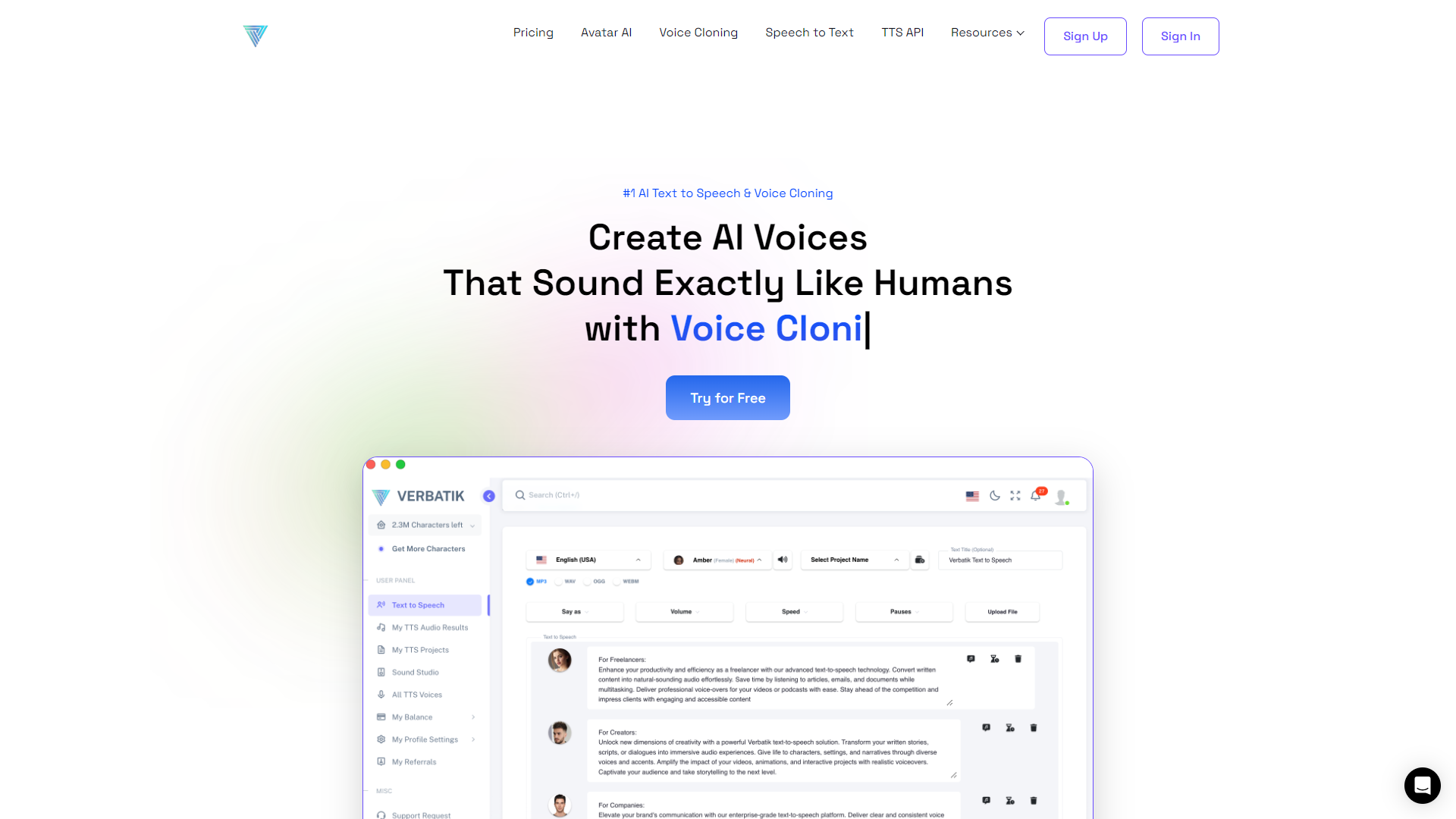
VERBATIK is a cutting-edge software designed for accurate transcription of spoken words. With its advanced features, it aims to help users convert audio into text swiftly and efficiently. This tool is particularly useful for professionals, students, and anyone who needs reliable notes from meetings, lectures, or interviews.
The software boasts an array of functionalities that make it stand out in the crowded market of transcription services. It not only transcribes audio files but also allows users to edit and organize notes seamlessly. With user-friendly features, it is accessible to both tech-savvy individuals and those who may not be as comfortable with technology.
Moreover, VERBATIK supports multiple languages and offers options for different formats, ensuring flexibility for various user needs. Whether you are recording a podcast, taking lecture notes, or preparing interview records, VERBATIK makes the process straightforward and effective.
Pros
- Saves Time
- Cost-Effective
- High Compatibility
- Regular Updates
- Strong Customer Support
Cons
- Learning Curve
- Subscription Costs
- Not Perfect
- Requires Good Quality Audio
- Limited Advanced Features
Key features
High Accuracy
VERBATIK utilizes advanced speech recognition technology to ensure high accuracy in transcription, minimizing errors.
Multiple Language Support
The tool supports various languages, making it usable for a diverse user base around the globe.
User-Friendly Interface
The intuitive interface allows users of all skill levels to navigate and utilize the software easily.
Audio Editing Tools
Users can edit audio clips directly within the app, perfect for cleaning up recordings before transcription.
Flexible File Formats
VERBATIK can export transcriptions in multiple formats such as PDF, Word, and TXT.
Cloud Storage Integration
The software integrates with popular cloud storage services to save and access files easily.
Collaborative Features
It allows multiple users to work together on notes, ideal for team projects.
Offline Access
Users can download audio files and work offline, ensuring productivity even without an internet connection.
Pricing
| Plan | Price | Description |
|---|---|---|
| Lite | $8.00 (200000 Characters Per Month) | Relevant for beginner creators. |
Rating Distribution
Company Information
Screenshots
User Reviews
View all reviews on G2An efficient platform for fast text-to-speech conversion
What do you like best about VERBATIK?
Verbatik is a practical tool for converting text to speech quickly and efficiently. The software offers users customization options, so it's possible to tailor a conversion to suit our needs. What I appreciate most about this software is its ability to support m...
Best tool for text to speech convesrion.
What do you like best about VERBATIK?
Verbatik software is a user-friendly software that easily converts text into speech. The accuracy of the transcription is really amazing. There are different customization options. available. we can change the speaker. it supports different languages.
What do ...
Upload feature is great
What do you like best about VERBATIK?
Verbatik has a lot of voices and accents to do text-to-voice. You can upload a txt (not pdf) file of up to 60,000 characters and Verbatik will properly format it to turn into a proper audio file, which is awesome.
What do you dislike about VERBATIK?
I'm not imp...
Alternative Text To Speech tools
Explore other text to speech tools similar to VERBATIK




FAQ
Here are some frequently asked questions about VERBATIK.
What is VERBATIK?
VERBATIK is a software tool designed to transcribe audio recordings into text quickly and accurately.
How accurate is the transcription?
VERBATIK uses advanced speech recognition technology, offering high accuracy, although results may vary with audio quality.
What formats can I export my transcriptions in?
You can export transcriptions in several formats, including PDF, Word, and TXT.
Is there a mobile version of VERBATIK?
Currently, VERBATIK is primarily a desktop application, but mobile access may be available in future updates.
Can I use VERBATIK offline?
Yes, you can download audio files for offline use, allowing you to work without an internet connection.
Does VERBATIK support multiple languages?
Yes, VERBATIK supports various languages and dialects.
What should I do if I have problems using the software?
You can reach out to their customer support, which is responsive and helpful in addressing issues.
Is there a free trial available?
VERBATIK often offers a free trial so users can test its features before purchasing a subscription.







