TTS

Murf AI

Murf.ai is a powerful text-to-speech tool that turns written content into lifelike voiceovers.

4.7 924 reviews G2 $29.00 Free version
Visit Website
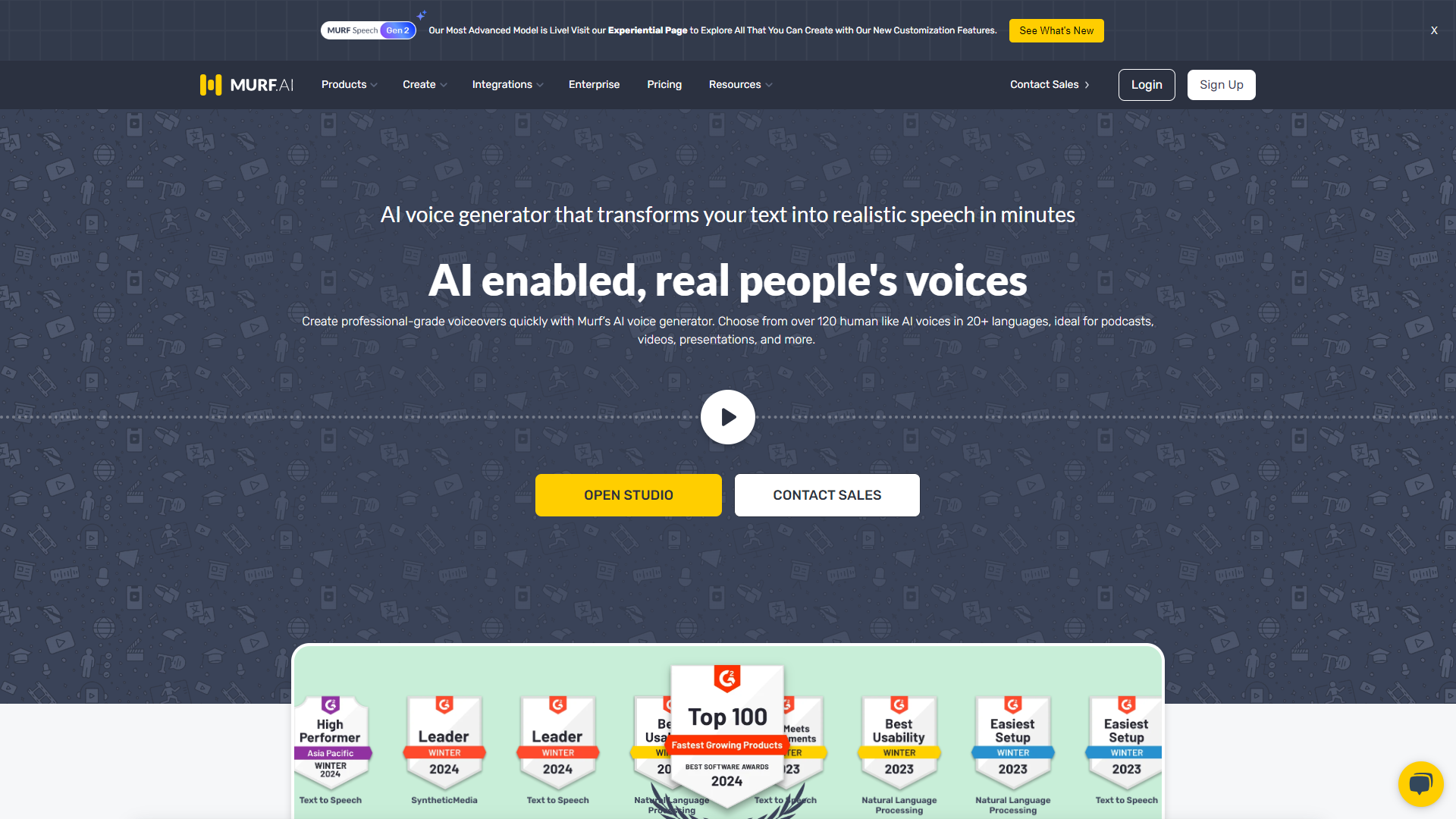
Murf AI screenshot

Overview

Murf.ai is a cutting-edge text-to-speech platform designed to help users create high-quality voiceovers easily. It employs advanced AI technology to generate realistic human-like voices that can enhance audio presentations, videos, or any multimedia project. With an easy-to-use interface, Murf.ai allows users to customize their audio in just a few clicks.

The platform offers a variety of voice options across multiple languages, making it ideal for global audiences. It is suitable for different use cases, including e-learning, marketing, and even personal projects. Murf.ai helps save time and resources while producing compelling audio content that engages listeners.

Whether you are an educator, marketer, or content creator, Murf.ai provides the tools you need to stand out. Its flexibility and high-quality output make it a great choice for anyone looking to improve their audio storytelling skills.

Pros

  • High-Quality Voice
  • Time-Saving
  • User-Friendly
  • Flexibility
  • Global Reach

Cons

  • Limited Free Features
  • Subscription Costs
  • Internet Dependence
  • Voice Variability
  • Editing Limitations

Key features

Multiple Voice Options

Murf.ai offers a wide range of voice selections, including male and female voices in various languages, allowing users to find the right fit for their project.

Customizable Speech Settings

Users can adjust pitch, speed, and volume to create the desired tone and feel for their audio content.

Easy-to-Use Interface

The platform provides a simple and intuitive interface, making it easy for anyone to create professional-sounding voiceovers without prior experience.

Text Highlighting

As the audio plays, on-screen text is highlighted, helping to keep listeners engaged and making it suitable for educational purposes.

Collaboration Tools

Murf.ai allows multiple users to collaborate on projects, making it a perfect choice for teams working on large content projects.

Audio File Download Options

Users can export their voiceovers in various audio formats, compatible with different platforms.

Integration Features

Murf.ai can be integrated with other tools and software, enhancing its functionality and ease of use for content creators.

Real-time Preview

Users can preview their voiceovers in real-time, allowing for easy adjustments and refinements before finalizing.

Pricing

PlanPriceDescription
FREE$0.00Best way to get started. No Credit Card required.
CREATOR$29.00Starter plan to create voiceovers for Individuals & Freelancers
BUSINESS$99.00Advanced Plan with Rich Features & Collaboration for Teams
ENTERPRISEContact UsUnlimited Access, Enterprise-grade Security & Support.

Feature Ratings

Based on real user reviews, here's how users rate different features of this product.

Translation Options

Direct Text Translation

Users can input text directly into a textbox to be translated.

Document Translation

Users can input a full document for translation.

Real-time Translation

Translations are available in real-time as text is being typed.

Batch Translation

Translations are available in batches for large documents or files.

Auto-Detect Language

Software can automatically detect which language is being input.

Customer Service Focused

Ability to automate real-time translation across digital support channels by integrating with CRM software and chat tools.

Machine + Human Translation

Provides the ability to combine the efficiency of augmented machine translation (MT) with the fluency of native-speaking editors (human translation).

Image Translation

Allows users to translate text from uploaded images.

Collaborative Translation

Allows multiple translators to contribute to a project simultaneously.

Offering Type

Browser Application

Software is available as a browser application.

Downloadable Software

Software is available as a downloadable application.

Pay-Per-Use

Users can pay per use of the software.

Free Offering

Software is available for free.

Translation Memory

Custom Translation Memory

Product allows users to input their own translation memories.

Built-in Translation Memory

Product comes with its own pre-made translation memories.

Machine Translation

Neural Machine Translation

Leverages an artifical neural network to predict words, terms, and sentences.

Statistical Machine Translation

Leverages statisical machine translation which aggregates source texts and mimics the rules found within them.

Voice

Dictation87%

Provides dictation capabilities. This feature was mentioned in 10 Murf.ai reviews.

Based on 10 reviews
Accuracy85%

Based on 11 Murf.ai reviews. Gives the user a reliable and accurate transcription of the text.

Based on 11 reviews

Transcription

Speaker Identification85%

Based on 11 Murf.ai reviews. Identifies and differentiates between different speakers.

Based on 11 reviews
Timecode Management85%

Provides timestamps for the transcription and gives the user the ability to alter them. 10 reviewers of Murf.ai have provided feedback on this feature.

Based on 10 reviews
Closed Captioning

Allows for transcription to be displayed as closed captioning for a video.

Custom Dictionary88%

Based on 11 Murf.ai reviews. Ability to add words or phrases to a custom dictionary for transcription.

Based on 11 reviews

Editing

Collaboration

Have the ability to share your project and grant collaborators access to comment or edit.

Spell Check and Punctuation

Provides spell checking and punctuation, such as commas, periods, and question marks.

Text Editing88%

As reported in 10 Murf.ai reviews. Facilitates the editing of transcription via a text editor.

Based on 10 reviews
Translation

Allows for the translation of the transcribed text.

Integration

Data Security

Gives the user a secure platform for transcription which does not scrape data or compromise user data.

API

Provides an API to port the transcription into external applications.

Voice Files

Supports uploading recorded voice data into the solution.

Live Captioning

Allows for the user to incorporate live transcription into video footage.

Integrates With Existing Applications

Integrates with existing applications to allow for seamless transcription of audio.

Application Integration90%

Supports integration to existing applications or devices. 17 reviewers of Murf.ai have provided feedback on this feature.

Based on 17 reviews

Speech Output

Volume90%

Provide tools to modify volume of voice. This feature was mentioned in 63 Murf.ai reviews.

Based on 63 reviews
Pitch85%

Provide tools to modify pitch of voice. 62 reviewers of Murf.ai have provided feedback on this feature.

Based on 62 reviews
Speed90%

Provide tools to modify speed of voice. 64 reviewers of Murf.ai have provided feedback on this feature.

Based on 64 reviews
Pronunciation79%

Provide tools to modify pronunciation of specific pre-defined words. 65 reviewers of Murf.ai have provided feedback on this feature.

Based on 65 reviews
Accent83%

Provide tools to modify accent of voice. This feature was mentioned in 31 Murf.ai reviews.

Based on 31 reviews
Emotion66%

As reported in 33 Murf.ai reviews. Provide tools to modify emotion of voice, including happy, sad, and annoyed.

Based on 33 reviews
Speaking Styles86%

As reported in 60 Murf.ai reviews. Allow users to change the speaking style, such as newscaster or conversational.

Based on 60 reviews

Audio Format

Natural Sounding Voices86%

Allows users to create voices which sound natural and human-like. 62 reviewers of Murf.ai have provided feedback on this feature.

Based on 62 reviews
Audio Format Flexibility90%

As reported in 30 Murf.ai reviews. Gives users the ability to choose from a number of audio formats including mp3, Linear16, and Ogg Opus.

Based on 30 reviews
Audio Optimization86%

Optimize for the type of speaker from which your speech is intended to play, such as headphones or phone lines. This feature was mentioned in 28 Murf.ai reviews.

Based on 28 reviews

Planning

Collaborative Editorial Calendars / Scheduling Content

Create editorial calendars that can be accessed by multiple users. Schedule content in advance to post at a later date.

Scheduling Integration

Create content plans or calendars for multiple users and schedule content in advance.

Publishing

Execute Content Publication

Ability to publish content either from the source it was created or through a third party.

Social Media

Social Media Integration

Create and publication of content for social media platforms.

Generative AI

AI Text-to-Speech

Simulates human-like speech from text inputs.

AI Text-to-Speech

Simulates human-like speech from text inputs.

Voice cloning - Voice Dubbing

Natural Quality

Produces natural-sounding output.

Compatibility

Supports variety of audio and video input formats.

Voice Modification

Supports modification of pitch, duration, pitch and gender of the voice.

Real-time preview - Voice Dubbing

Modified Voice Preview

Allows users to preview morphed voice in real-time.

Output - Voice Dubbing

API

Provides a robust, user-friendly API to input and output content.

Sharing

Allows users to share content to other channels and platforms.

Language Variety

Gives users ability to select a wide range of languages.

Security and Privacy - Voice Dubbing

Encryption

Helps in protecting data at rest and in transit.

Secure Collaboration

Ensures secure transmission of data associated to dubbing projects.

Rating Distribution

5
1067 (83.0%)
4
205 (15.9%)
3
11 (0.9%)
2
3 (0.2%)
1
0 (0.0%)

Company Information

LocationSalt Lake City, US
Founded2020
Employees118
4.7
★★★★★
Based on 1,286 reviews
Karyn C.Executive DirectorSmall-Business(50 or fewer emp.)
December 3, 2024
★★★★★

My review was wrong

What do you like best about Murf.ai?

I originally posted a very negative review about my experience with the Murf system but the staff at Murf never gave up on making the system work for my unique product. I can't thank them enough.

What do you dislike about Murf.ai?

The word count can be limiting ...

Read full review on G2 →
Anonymous ReviewerSmall-Business(50 or fewer emp.)
November 23, 2024
★★★★★

Very easy to use. And there's a lot of voices to choose from!

What do you like best about Murf.ai?

A lot of voices & varieties to choose from. And the techology was really greal. All the voices are really realisitic & unable to distinguish from real human voices!

What do you dislike about Murf.ai?

I was hoping for more detailed feature to control the tonality...

Read full review on G2 →
Anonymous ReviewerSmall-Business(50 or fewer emp.)
October 10, 2024
★★★★★

A Game-Changer for Voiceovers

What do you like best about Murf.ai?

I’ve been using Murf.ai for creating voiceovers, and it’s been an absolute game-changer! The platform is incredibly user-friendly, making it easy for anyone to dive in, even if you have no prior experience. What sets Murf apart is the sheer variety of voice optio...

Read full review on G2 →
Anonymous ReviewerSmall-Business(50 or fewer emp.)
December 12, 2024
★★★★☆

The most realistic and smoothest voices in AI

What do you like best about Murf.ai?

Out of the voice cloning softwares I have tried, I think this has the smoothest, most realistic voices with the new generation voice.

What do you dislike about Murf.ai?

Nothing yet, it is very easy to use. I guess cloning my own voice within the lower pricing wo...

Read full review on G2 →
Anonymous ReviewerSmall-Business(50 or fewer emp.)
November 15, 2024
★★★★★

Amazing text to voice product

What do you like best about Murf.ai?

The AI generated voices are the most natural sounding in all the web-based text to sound systems I have reviewed. This includes features such as setting the accentg etc. The flexibility of editing and arraning the text is also incredible, including blocks and sep...

Read full review on G2 →

Alternative Text To Speech tools

Explore other text to speech tools similar to Murf AI

FAQ

Here are some frequently asked questions about Murf AI.

What is Murf.ai?

Murf.ai is a text-to-speech software that converts written text into realistic voiceovers using AI technology.

What can I use Murf.ai for?

You can use Murf.ai for creating voiceovers for videos, e-learning materials, podcasts, and more.

Is Murf.ai easy to use?

Yes, Murf.ai has a user-friendly interface that makes it simple for anyone to create voiceovers.

Are there many voice options available?

Yes, Murf.ai offers a variety of voices, including both male and female options in different languages.

Can I customize the speech?

Yes, you can adjust the pitch, speed, and volume to customize the voiceover to your liking.

Is there a free trial available?

Yes, Murf.ai offers a free trial, though some features may be limited.

How can I download my voiceovers?

You can easily download your voiceovers in various audio file formats after creating them.

Does Murf.ai support collaboration?

Yes, you can collaborate with others on projects within the platform.

What are the system requirements to use Murf.ai?

Murf.ai runs on any device with an internet connection and a web browser.

Do I need technical skills to use Murf.ai?

No, you don't need any technical skills to use Murf.ai; it's designed for users of all levels.