
Overview
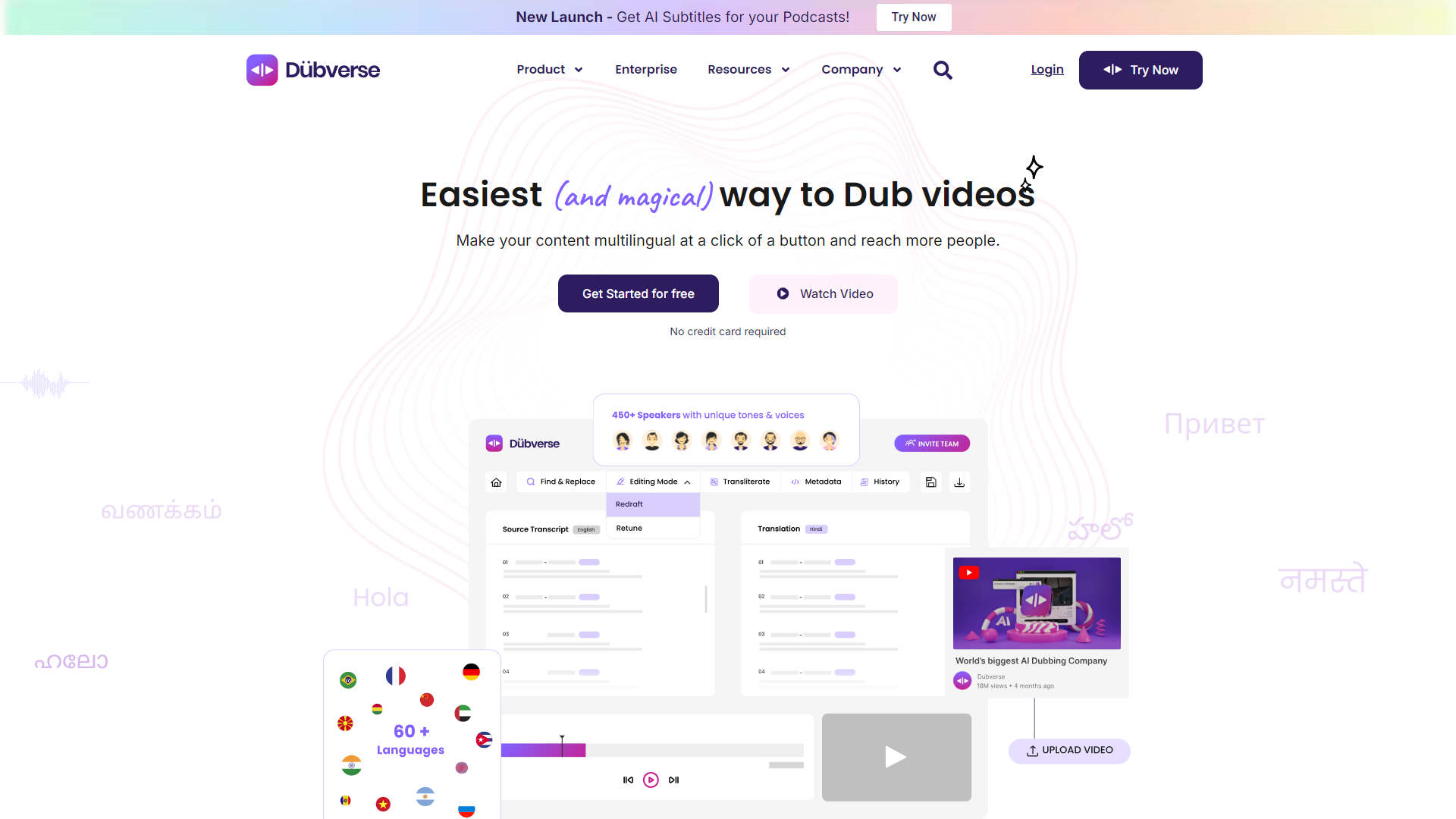
Dubverse is an innovative platform that allows users to create professional-quality voiceovers using advanced AI technology. It is designed to make voiceover production simple, fast, and accessible for anyone, no matter their skill level. Whether you need voices for videos, presentations, or tutorials, Dubverse offers a solution that saves time and effort.
The platform provides a user-friendly interface, making it easy to navigate and utilize its features. Users can choose from a variety of voice options, accents, and languages to find the perfect fit for their projects. With Dubverse, the process of turning text into voice is streamlined, allowing creators to focus on their content without getting bogged down by technical details.
In addition to its main features, Dubverse also offers customization options, enabling a personalized touch to each voiceover. The service is ideal for content creators, educators, marketers, and businesses looking to enhance their audio presentations. With Dubverse, high-quality voiceovers are just a few clicks away.
Pros
- Easy to use
- Quick turnaround
- Variety of options
- High-quality audio
- Flexible pricing
Cons
- Limited free features
- Voice accuracy varies
- Internet dependency
- Editing tools are basic
- Feedback loop
Key features
Multiple Voice Options
Choose from a wide selection of voices, including different accents and styles.
Language Support
Offers support for various languages, making it perfect for global reach.
Customizable Pitch and Speed
Adjust the pitch and speed of the voiceovers to match your project's tone.
Fast Rendering
Quickly convert text to audio, saving you valuable time.
User-friendly Interface
Intuitive design that makes it easy for anyone to create voiceovers.
Audio Editing Tools
Basic editing features to refine your audio before finalizing.
High-quality Output
Produces professional-grade voice recordings suitable for any project.
Cloud Storage
Access your projects from anywhere with easy cloud storage integration.
Rating Distribution
Company Information
Screenshots
User Reviews
View all reviews on G2Good voice over
What do you like best about Dubverse?
Ease of use with regards to how you only need to input the texts to convert.
What do you dislike about Dubverse?
Barriers of entry into proper usage such as limited character counts.
What problems is Dubverse solving and how is that benefiting you?
Helps with ...
Decently good
What do you like best about Dubverse?
Interface is easy to navigate and use for beginners
What do you dislike about Dubverse?
It is slow and a lot fo times the files are inaccurate
What problems is Dubverse solving and how is that benefiting you?
It helps get a basic file to work upon
Used it For Hindi Subtitles for my podcast
What do you like best about Dubverse?
the easy UI - it's very easy to navigate and allows for a brilliant user journey. The customer support is also very prompt. I use it about twice or 4 times a month. Mainly used the subtitle feature. The burning of subtitles into my video is very seamless
What d...
Incredible Software
What do you like best about Dubverse?
After having tested numerous voice-to-text software solutions for months, I must admit I was pleasantly surprised by the capabilities of Dubverse. This is an AI-based solution that not only meets expectations but far exceeds them, making it a worthy contender in...
Awesome Website to convert and and add subtitle. customer support is quick and easy to use
What do you like best about Dubverse?
Awesome Website to convert and and add subtitle. customer support is quick and easy to use
What do you dislike about Dubverse?
price plan they have with half early is too costly
What problems is Dubverse solving and how is that benefiting you?
Awesome Website...
Alternative Text To Speech tools
Explore other text to speech tools similar to Dubverse




FAQ
Here are some frequently asked questions about Dubverse.
What is Dubverse?
Dubverse is a platform that allows users to create voiceovers using AI technology.
Do I need technical skills to use Dubverse?
No, Dubverse is designed to be user-friendly and easy for anyone to use.
Can I use multiple languages in my voiceovers?
Yes, Dubverse supports various languages for voiceovers.
Is there a free version of Dubverse?
There is a free version, but some features may require a subscription.
How long does it take to create a voiceover?
Voiceovers are generated quickly, allowing for efficient production.
Can I customize the voice's pitch and speed?
Yes, you can easily adjust the pitch and speed of the generated voice.
Are there any audio editing features?
Dubverse includes basic audio editing tools to refine your recordings.
What type of projects can I use Dubverse for?
You can use Dubverse for videos, tutorials, presentations, and more.







