

Overview
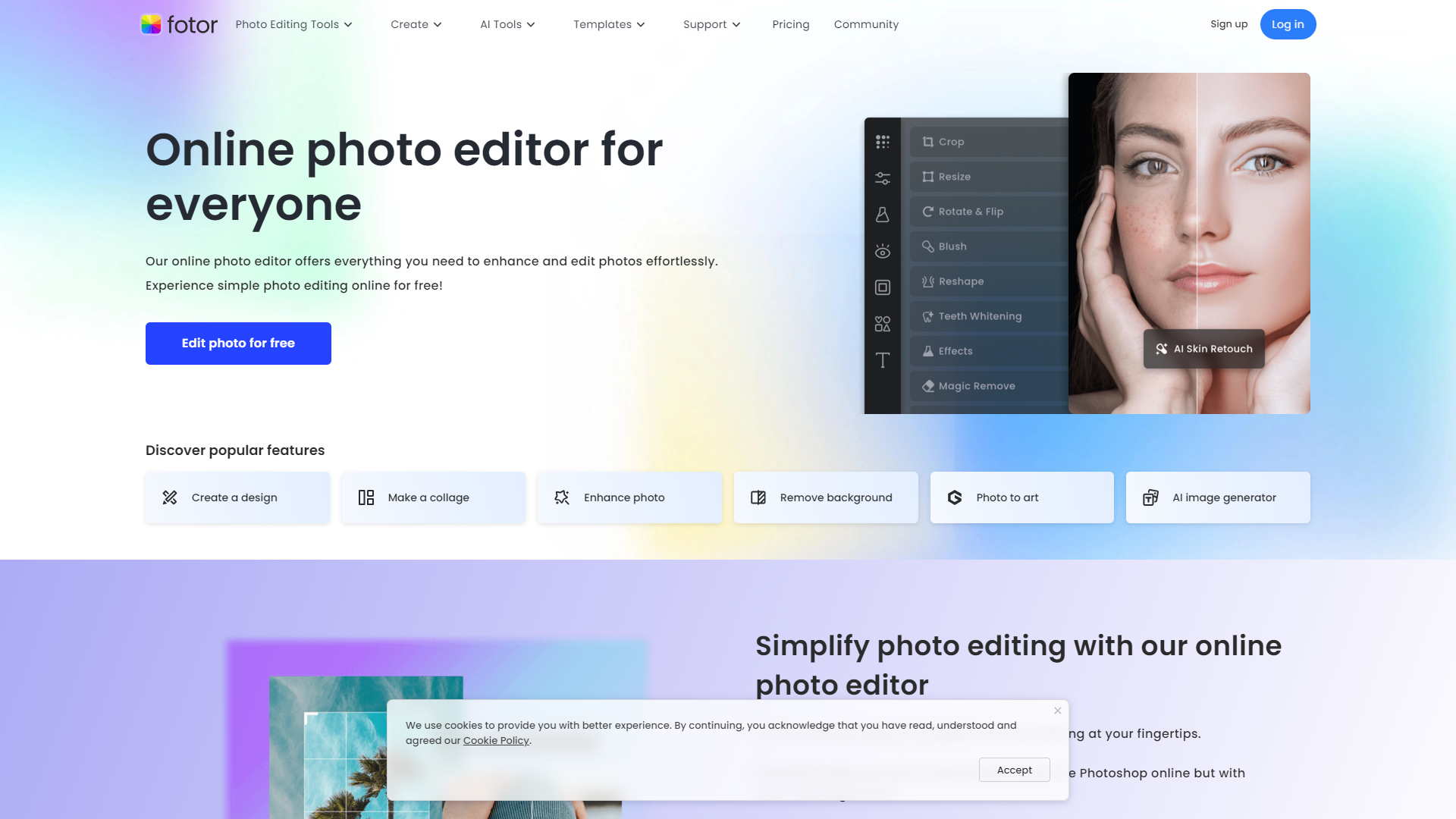
Fotor Photo Editor is a powerful online tool that makes it easy for anyone to edit photos. Whether you're a professional or just someone who enjoys taking pictures, Fotor provides a simple interface with multiple options. It focuses on helping users enhance their images quickly and effectively without needing advanced skills.
With Fotor, you can easily adjust brightness, contrast, saturation, and other settings to make your photos look their best. It also offers a variety of filters, effects, and frames to give your images a unique touch. Fotor is not just an editing tool; it's a platform that helps users explore their creativity while producing high-quality results.
Available on different devices, including smartphones and tablets, Fotor ensures that you can edit your photos anytime and anywhere. Its intuitive design and powerful features make photo editing accessible to everyone, from beginners to experienced photographers.
Pros
- Easy to Use
- Wide Range of Tools
- Cloud Access
- Social Media Integration
- Regular Updates
Cons
- Limited Advanced Features
- Internet Dependence
- Free Version Caps
- Learning Curve
- Occasional Bugs
Key features
User-Friendly Interface
Fotor’s design is simple and easy to navigate, making it suitable for users of all skill levels.
Photo Editing Tools
Offers a range of basic editing tools like crop, rotate, and adjust brightness, allowing for precise photo adjustments.
Filters and Effects
A large collection of filters and effects that can transform your photos in just a few clicks.
Collage Maker
Create beautiful collages with your photos using customizable templates.
Text and Sticker Options
Add text and fun stickers to your photos to make them more engaging.
Batch Processing
Edit multiple photos at once, saving time for users with lots of images to update.
Templates for Design
Provides various templates for social media graphics, posters, and more, enhancing creativity.
Cloud Support
Fotor allows users to save and access their work from the cloud, making it easy to edit on-the-go.
Pricing
| Plan | Price | Description |
|---|---|---|
| Fotor Basic | Free | Basic features and limited creative resources. |
| Fotor Pro | $8.99 (Per Month) | Advanced features with premium resources. |
| Fotor Pro+ | $19.99 (Per Month) | Additional features for businesses and commercially available resources. |
Rating Distribution
Company Information
Screenshots
User Reviews
View all reviews on G2Most useful Feature-Rich Photo Editor
What do you like best about Fotor Photo Editor?
It is very useful for editing in both casual and professional. Especially the user interface is smooth and friendly. All the filters are so unique to use and extremely vibrant for every editing.
What do you dislike about Fotor Photo Editor?
Some feat...
It Was Very Good Software Best AI Generated Image Ever
What do you like best about Fotor Photo Editor?
Hello I Am Asif I Use This Fotor Photo Editor So Long
I Really Like Fotor Photo Editor system . I Really Like The Out Come Of A Image Thay Was Very Good The AI Photo Editor / Generator Was Very Accerode Also It Was Very Easy To Use And Everyone Get A ...
Fotor Photo Editor enhances the creation of my visual projects
What do you like best about Fotor Photo Editor?
From the first use I liked the AI tools that besides simplifying photo editing also allow me to generate beautiful and professional looking images (it has a preview before finishing any project to adjust details). I like how interactive Fotor Photo Edi...
Solid AI Photo Editor & Content Creator Platform
What do you like best about Fotor Photo Editor?
Fotor Photo Editor is a solid application combining AI photo editing features with a Canva-like graphic designer. It does everything well, and it's convenient to have the photo editing and graphic designer in the same application. User interfact is w...
Probably the best picture editing tool
What do you like best about Fotor Photo Editor?
It has a lot of tools that are useful for editing photos. Easy to use, fast and smooth.
Used it a lot of times for editing pictures.
What do you dislike about Fotor Photo Editor?
Some of the features are only available on subscription
What problems i...
Alternative Ai Image Generators tools
Explore other ai image generators tools similar to Fotor Photo Editor






FAQ
Here are some frequently asked questions about Fotor Photo Editor.
What is Fotor Photo Editor?
Fotor Photo Editor is an online photo editing tool that allows users to enhance and edit their images easily.
Is Fotor free to use?
Fotor offers both free and paid versions, with the free version having some limitations.
Can I use Fotor on my mobile device?
Yes, Fotor is available on both smartphones and tablets, making it easy to edit images on the go.
What type of editing tools does Fotor offer?
Fotor offers basic editing tools like cropping, rotating, adjusting brightness and contrast, as well as filters and effects.
Does Fotor support batch editing?
Yes, Fotor allows users to edit multiple photos at once, making the process faster.
Can I save my edited photos to the cloud?
Yes, Fotor offers cloud support, allowing you to save and access your edits from anywhere.
How can I create a collage using Fotor?
Fotor has a dedicated collage maker that provides templates for creating beautiful photo collages easily.
Are there text and sticker options in Fotor?
Yes, you can add text and fun stickers to your photos for more creativity.







