

Vectorizer.AI
Advanced AI for high-quality image vectorization, supports multiple formats.
Visit Website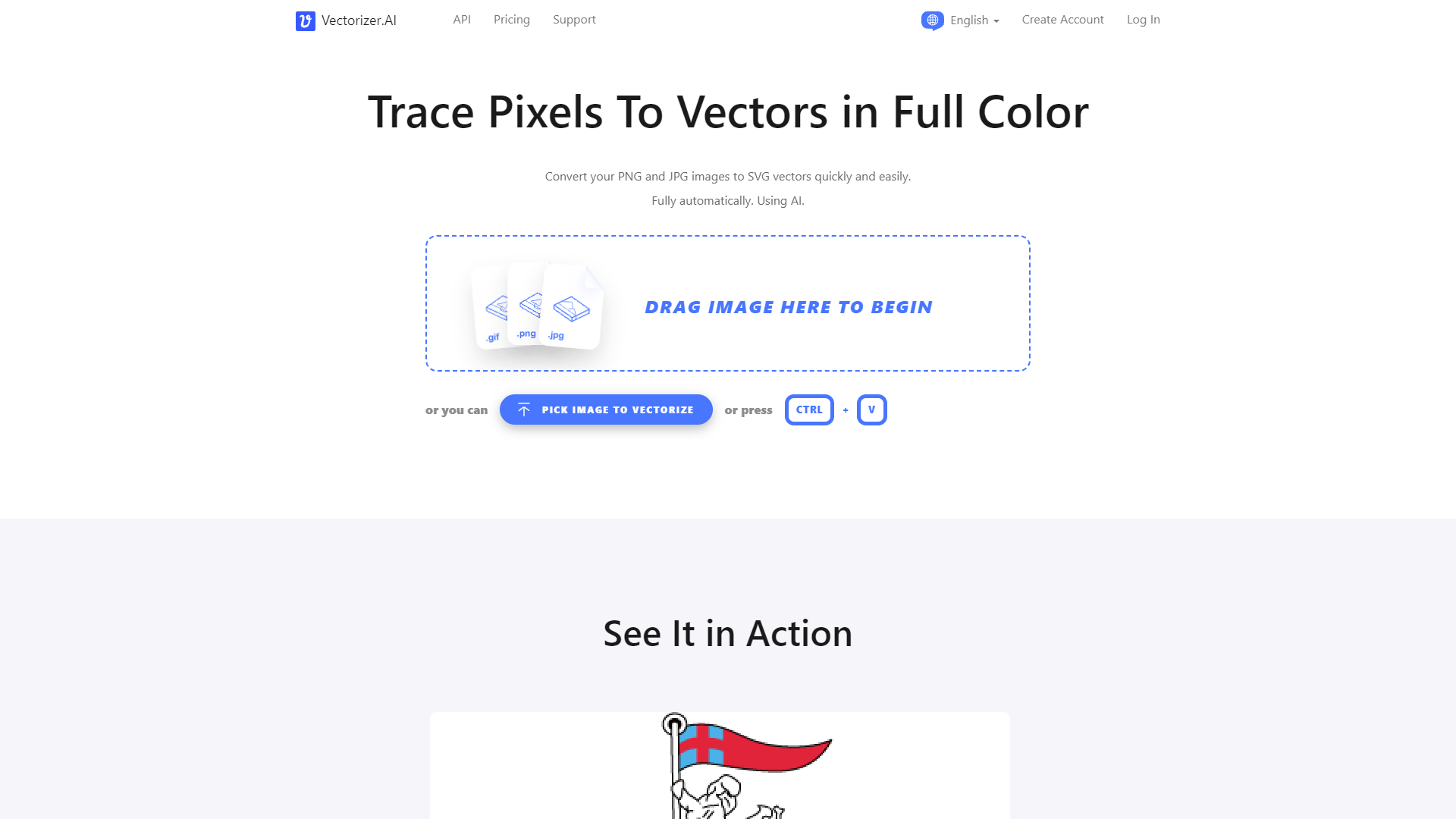
Overview
Vectorizer.AI is a cutting-edge AI-powered tool designed to transform raster images into high-quality vector graphics. This versatile tool supports a wide range of image types, including scans, sketches, photographs, and logos, making it ideal for various professional and creative applications. Vectorizer.AI stands out by employing advanced AI algorithms that enhance image details and ensure precision in capturing complex pixel data, which traditional vectorizing methods might miss.
The tool offers robust features such as adaptive simplification, which refines faint boundaries for clearer results, and sub-pixel precision that ensures accurate placement of vector boundaries. Users have the flexibility to adjust the color palette, influencing the number of colors used in the vector output. Additionally, Vectorizer.AI supports multiple input formats like JPEG, PNG, and GIF, and outputs vectors in SVG, PDF, EPS, DXF, and PNG formats, ensuring broad compatibility with different graphic design software.
An interactive preview feature allows users to review and approve the vectorization results before finalizing, ensuring satisfaction with the final product. With its focus on ease of use, scalability, and editing flexibility, Vectorizer.AI is an essential tool for anyone looking to convert images to clean, scalable vector graphics efficiently.
Pros
- Batch processing capability
- Customizable vectorization settings
- Cloud-based processing
- Secure data handling
- Integration capabilities
Cons
- Resource intensive
- Limited manual control
- Complex interface
- AI unpredictability
- Over-simplification risk
Key features
Adaptive simplification
Automatically refines faint boundaries in raster images, enhancing clarity and detail for superior vectorization results.
Palette control
Allows users to adjust the number of colors in their images, facilitating precise control over the aesthetic and complexity of the vector output.
Sub-pixel precision
Ensures accurate placement of vector boundaries at a sub-pixel level, crucial for maintaining the integrity of the original image details.
Advanced AI technology
Utilizes deep learning networks combined with classical algorithms to capture intricate details and make informed decisions in complex scenarios.
Multiple format support
Accepts various input formats like JPEG, PNG, and GIF, and outputs vectors in SVG, PDF, EPS, DXF, and PNG, ensuring broad compatibility.
Interactive preview feature
Offers a real-time preview option that allows users to review and adjust the vector results before finalizing the conversion, ensuring user satisfaction.
Alternative Ai Image Generator tools
Explore other ai image generator tools similar to Vectorizer.AI



FAQ
Here are some frequently asked questions about Vectorizer.AI.
What image formats can I upload to Vectorizer.AI for vectorization?
Vectorizer.AI supports multiple image formats including JPEG, PNG, and GIF, allowing for a wide range of raster images to be converted into vectors.
How does Vectorizer.AI enhance the quality of vectorized images?
Vectorizer.AI uses advanced AI algorithms to enhance image details and ensure precision, capturing complex pixel data that traditional methods might miss.
What is adaptive simplification in Vectorizer.AI?
Adaptive simplification is a feature in Vectorizer.AI that refines faint boundaries in images, resulting in clearer and more precise vector graphics.
Is Vectorizer.AI suitable for professional use in graphic design and digital art?
Yes, Vectorizer.AI is ideal for various professional applications, including graphic design and digital art, due to its high-quality vectorization capabilities and broad format support.
In which formats can Vectorizer.AI output vectorized images?
Vectorizer.AI can output vectorized images in several formats, including SVG, PDF, EPS, DXF, and PNG, ensuring compatibility with various graphic design software.
Can I adjust the color settings in my vectorized images using Vectorizer.AI?
Yes, Vectorizer.AI allows users to adjust the color palette, influencing the number of colors used in the vector output for tailored results.
Does Vectorizer.AI offer a preview feature before finalizing the vectorized image?
Yes, Vectorizer.AI includes an interactive preview feature that allows users to review and approve the vectorization results before finalizing the output.
How does sub-pixel precision work in Vectorizer.AI?
Sub-pixel precision in Vectorizer.AI ensures accurate placement of vector boundaries, significantly enhancing the detail and accuracy of the vector graphics.







