

Sketch to Image
AI-powered sketch transformation into styled images.
Visit Website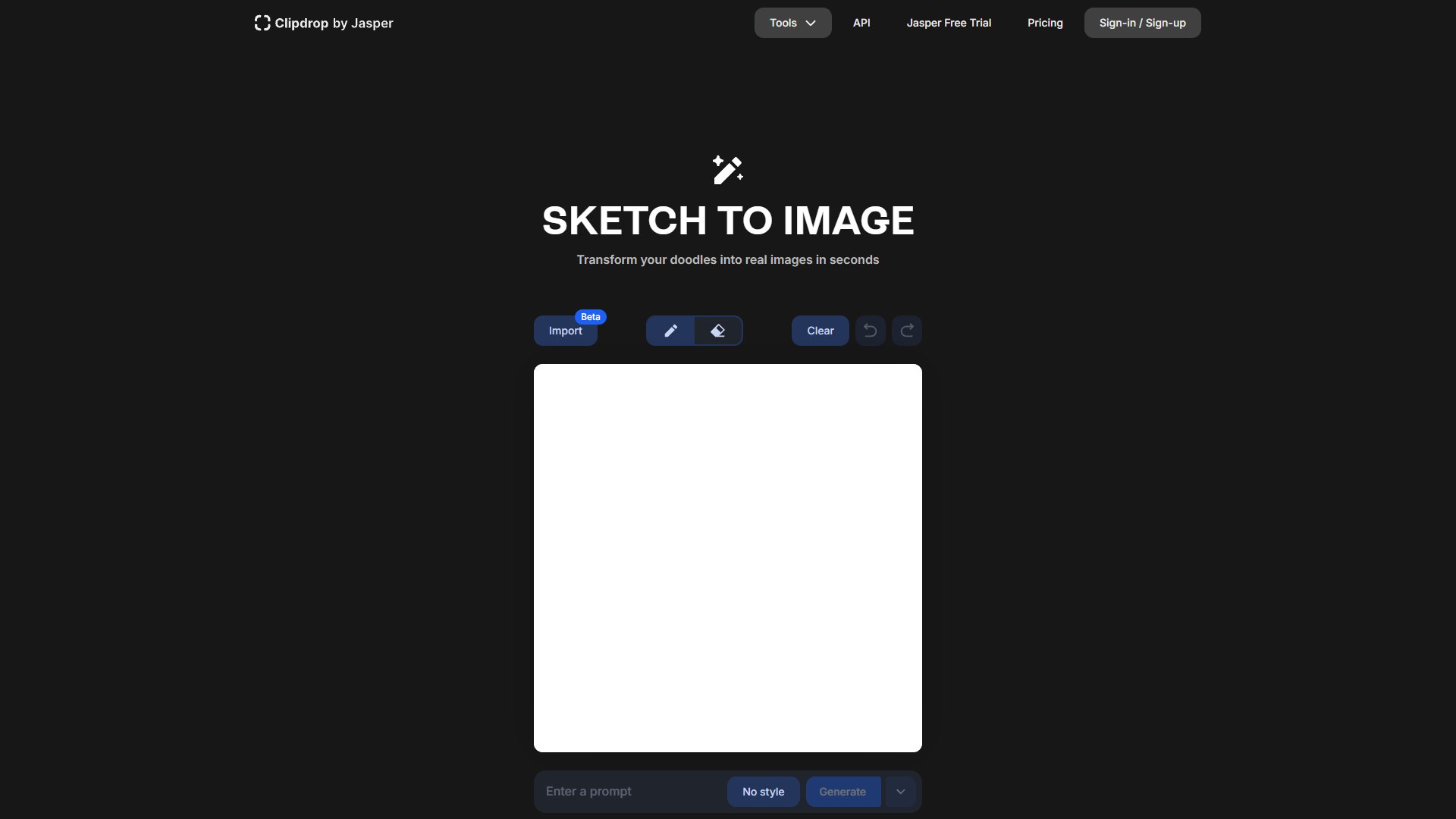
Overview
ClipDrop's Sketch to Image tool, previously known as Stable Doodle, offers a revolutionary way to convert simple sketches into detailed, high-quality images using advanced AI technology. This innovative feature is powered by Stability AI's Stable Diffusion, ensuring a seamless transformation of rough sketches into visually appealing artworks. Users are provided with a user-friendly drawing canvas where they can freely create their doodles. Once the sketch is ready, the tool allows users to choose from various artistic styles including Photographic, Digital Art, or Comic Book to define the final image's aesthetic.
To further customize the output, users can input descriptive prompts that guide the AI in generating images that closely match their vision. The tool then processes these inputs to produce multiple image variations, giving users a range of options to choose from. This capability not only enhances creativity but also significantly speeds up the process of visualizing and refining concepts.
Ideal for designers, artists, and content creators, ClipDrop’s Sketch to Image tool streamlines the creative workflow by enabling quick and efficient generation of concept visuals. This tool not only saves time but also expands the creative possibilities, allowing for the exploration of different styles and interpretations of the initial sketches. Whether for professional projects or personal exploration, Sketch to Image provides a powerful platform for bringing imaginative ideas to life.
Pros
- Real-time collaboration
- High-resolution outputs
- Extensive asset library
- Customizable workflows
- Advanced editing tools
Cons
- Resource intensive
- Limited offline functionality
- Potential for generic outputs
- Over-reliance on prompts
- Learning curve for features
Key features
Intuitive drawing canvas
Provides a user-friendly interface where users can sketch their initial ideas directly within the tool.
Style selection options
Allows users to choose from various artistic styles like Photographic, Digital Art, or Comic Book to enhance their sketches.
Prompt-driven customization
Users can input descriptive prompts to guide the AI in generating images that closely match their vision.
AI-powered image generation
Utilizes Stability AI's Stable Diffusion technology to transform simple sketches into detailed and high-quality images.
Multiple variations feature
Generates several image options from a single sketch and prompt, giving users creative choices and flexibility.
Quick visualization tool
Ideal for designers, artists, and content creators who need to convert rough sketches into polished visuals efficiently.
Alternative Ai Image Generator tools
Explore other ai image generator tools similar to Sketch to Image


FAQ
Here are some frequently asked questions about Sketch to Image.
What is ClipDrop's Sketch to Image tool?
ClipDrop's Sketch to Image tool transforms simple sketches into detailed images using Stability AI's Stable Diffusion technology, offering various artistic styles for customization.
What artistic styles can I choose from in ClipDrop's Sketch to Image tool?
The tool offers styles like Photographic, Digital Art, and Comic Book, allowing users to define the aesthetic of the final image.
Who can benefit from using the Sketch to Image tool?
The tool is ideal for designers, artists, and content creators looking to quickly generate and refine visual concepts.
What is the advantage of using ClipDrop's Sketch to Image tool over traditional methods?
The tool speeds up the creative process by quickly transforming sketches into high-quality images, saving time for professionals and hobbyists alike.
How does the Sketch to Image tool work?
Users create a sketch on a digital canvas, select an artistic style, and input descriptive prompts. The AI then generates multiple image variations based on these inputs.
Can I input text prompts in ClipDrop's Sketch to Image tool?
Yes, users can input descriptive prompts to guide the AI in generating images that closely match their envisioned concept.
How does ClipDrop's Sketch to Image tool enhance creativity?
By allowing users to explore different styles and interpretations of their sketches, the tool expands creative possibilities and aids in visualizing ideas.
How many image variations does the Sketch to Image tool produce?
The tool processes the inputs to produce multiple image variations, giving users a range of options to choose from for their final artwork.







