

Pixian.AI
Advanced AI for background removal, supports multiple formats.
Visit Website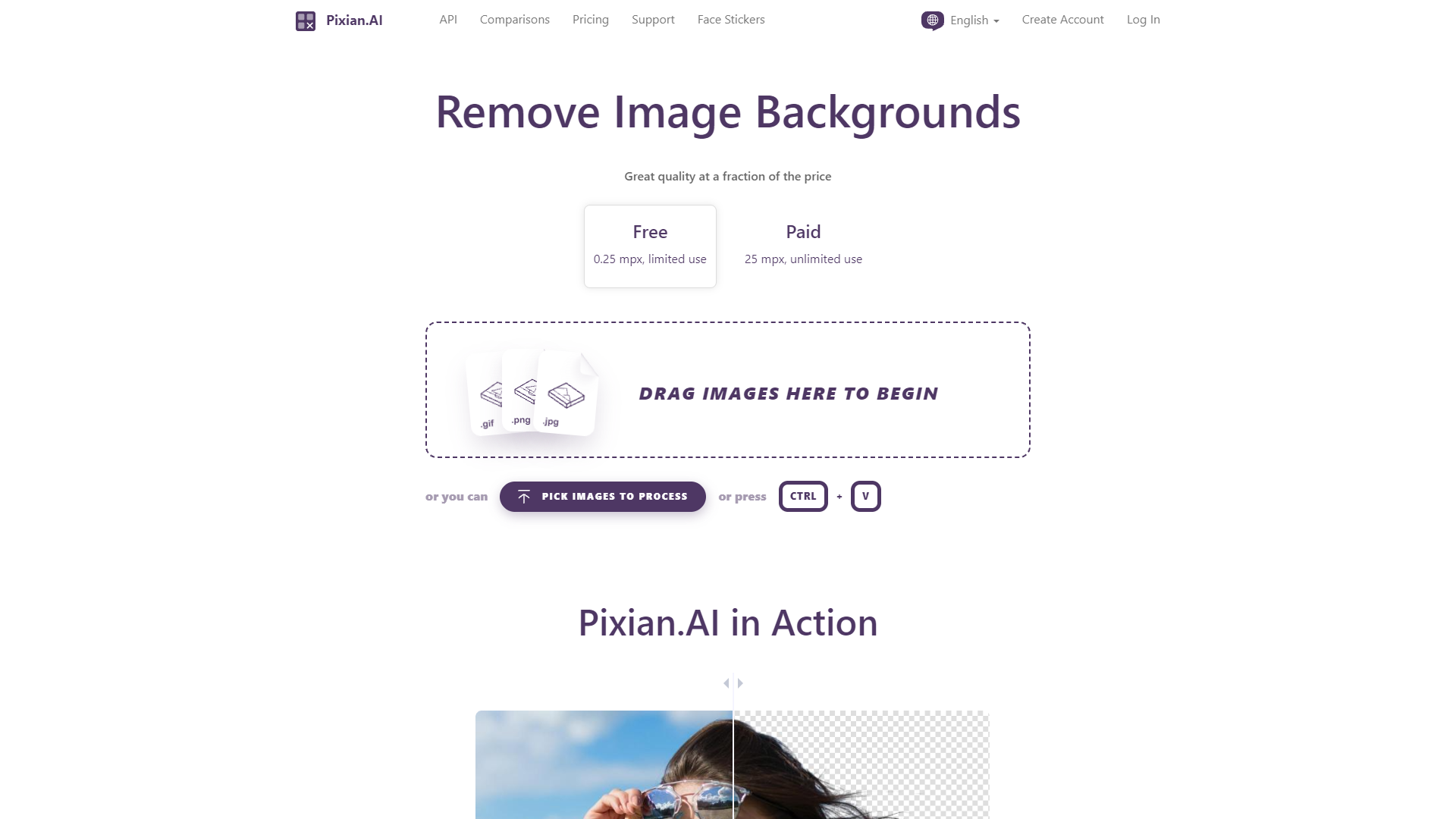
Overview
Pixian AI is a cutting-edge AI tool designed to efficiently remove backgrounds from images using advanced GPUs and multi-core CPUs. This versatile platform supports a wide range of image categories including people, objects, and artworks, and is capable of handling various image formats such as PNG, JPEG, and GIF. Pixian AI is particularly adept at processing complex images like those with intricate hair details or AI-generated visuals.
The tool offers both free and premium services, with the free version allowing image processing up to 0.25 megapixels, and the paid version extending support up to 25 megapixels. Users can preview and download their results without any cost, making it accessible for casual users and professionals alike. Additional features include image cropping, fun face stickers, and a comparison tool that helps users evaluate the before and after effects of their edits.
For businesses and engineering teams, Pixian AI serves as an outsourced MLOps solution, offering easy API integration and a smooth transition from similar services like Remove.BG. The AI model behind Pixian AI is custom-developed and trained on a proprietary dataset, ensuring both high efficiency and superior quality in results.
Security and privacy are paramount at Pixian AI, with strict data retention policies ensuring all uploaded images and results are deleted after processing. This commitment to privacy, combined with user-friendly design and affordable pricing, makes Pixian AI a preferred choice for both individual and corporate users looking to enhance their images with professional ease.
Pros
- Real-time processing
- Scalable infrastructure
- Collaborative features
- Continuous updates
- Intuitive user interface
Cons
- Steep learning curve
- Limited mobile optimization
- High system requirements
- No offline functionality
- Complex API integration
Key features
Advanced hardware utilization
Pixian.AI leverages powerful GPUs and multi-core CPUs to enhance image processing speed and efficiency.
Comprehensive format support
The tool supports multiple image formats including PNG, JPEG, and GIF, accommodating a wide range of user needs.
Free and paid options
Users can choose between free processing for images up to 0.25 megapixels or opt for the paid service supporting up to 25 megapixels.
Personalized editing features
Offers tools like cropping, face stickers, and a comparison tool to provide personalized and precise editing capabilities.
API integration and MLOps support
Facilitates easy API integration and serves as an MLOps extension, simplifying the adoption for engineering teams.
Privacy and security commitment
Ensures user privacy with strict data retention policies, deleting all uploaded images and results shortly after processing.
Alternative Ai Image Generator tools
Explore other ai image generator tools similar to Pixian.AI


FAQ
Here are some frequently asked questions about Pixian.AI.
What image formats does Pixian.AI support?
Pixian.AI supports a variety of image formats including PNG, JPEG, and GIF, accommodating a wide range of user needs for background removal.
What is the maximum image size that Pixian.AI can process in its free version?
The free version of Pixian.AI allows processing of images up to 0.25 megapixels, suitable for basic usage.
Does Pixian.AI offer any tools for image enhancement besides background removal?
Besides background removal, Pixian.AI offers image cropping, fun face stickers, and a comparison tool to view before and after edits.
What measures does Pixian.AI take to ensure user privacy and data security?
Pixian.AI adheres to strict data retention policies, ensuring all uploaded images and results are deleted after processing to protect user privacy.
Can Pixian.AI handle images with complex details like intricate hair?
Yes, Pixian.AI is specifically designed to process images with complex details such as intricate hair, ensuring high-quality background removal.
How does the premium service of Pixian.AI differ from the free version?
Pixian.AI's premium service supports image processing up to 25 megapixels and offers additional features, catering to more demanding professional needs.
How can businesses integrate Pixian.AI into their systems?
Businesses can integrate Pixian.AI via an API, allowing for easy transition from similar services and efficient outsourcing of MLOps solutions.
Is there a cost to preview and download the results from Pixian.AI?
No, users can preview and download their results from Pixian.AI at no cost, making it accessible for both casual users and professionals.







