

Pincel
Comprehensive AI image editing suite, enhancing creativity efficiently.
Visit Website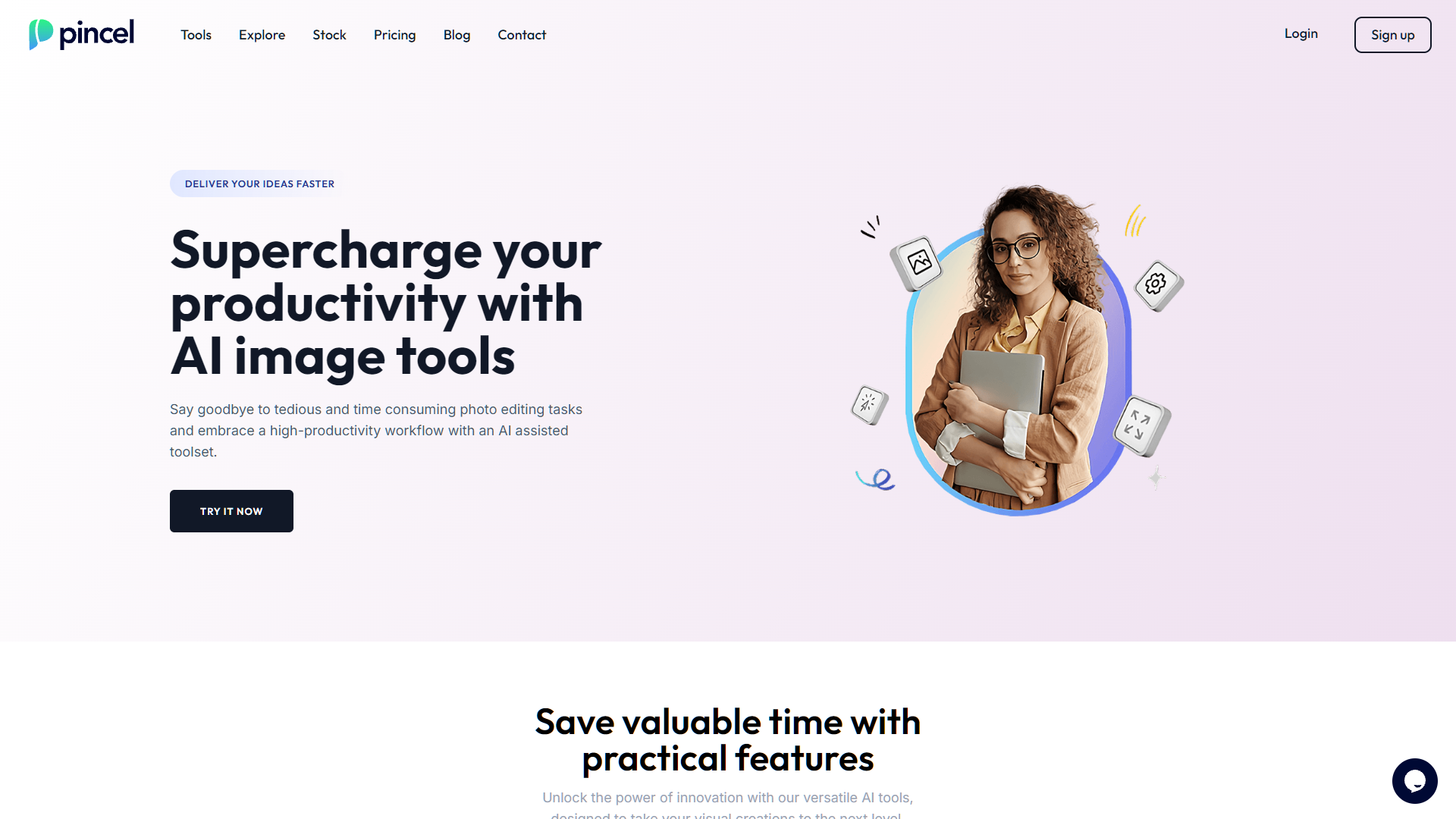
Overview
Pincel is a cutting-edge web application designed to transform the way users engage with image editing through its advanced AI-driven tools. With a suite that includes AI Portrait Maker, AI Photo Editor, AI Image Cleaner, and AI QR Code Art Maker, Pincel caters to a broad spectrum of editing needs, from enhancing portraits to creating artistic QR codes. This platform is crafted to boost both productivity and creativity, enabling users to perform complex edits with the simplicity and fluidity of a brush stroke—a nod to its name "Pincel," which means "brush" in Portuguese.
The application shines in its commitment to user-friendliness and accessibility, making professional-grade editing achievable for amateurs and professionals alike. It is compatible with all modern devices, ensuring a seamless editing experience whether on a desktop at home or a mobile device on the go. Pincel's continuous development is fueled by various paid plans, which support an ever-evolving array of features and dedicated customer service.
Beyond its tools, Pincel offers extensive resources including a blog, detailed pricing information, and active social media channels where users can gain insights, find inspiration, and learn through tutorials. Whether changing an outfit in a photo or removing unwanted objects, Pincel stands as a versatile and innovative solution in the realm of AI image editing.
Pros
- Batch processing
- Customizable workflows
- AI Style Transfer
- Real-time previews
- Cloud storage integration
Cons
- Limited creative control
- Dependence on algorithms
- Generic aesthetic results
- Over-reliance on connectivity
- Privacy concerns
Key features
AI Portrait Maker
Automatically enhances portraits using AI, adjusting lighting, skin tone, and facial features to create stunning images effortlessly.
AI Photo Editor
Offers advanced editing capabilities like color correction, filters, and effects, all powered by AI to ensure high-quality results.
AI Image Cleaner
Cleans up noise and unwanted details from images, making them crisp and clear without manual intervention.
AI QR Code Art Maker
Generates artistic and customizable QR codes that blend seamlessly with the overall design of promotional materials or personal projects.
Multi-device compatibility
Ensures a seamless editing experience across all modern devices, enabling creativity on-the-go through a responsive web application.
Continuous development
Supported by paid plans, Pincel frequently updates its features and tools, ensuring users have access to the latest in AI image editing technology.
Alternative Ai Image Generator tools
Explore other ai image generator tools similar to Pincel



FAQ
Here are some frequently asked questions about Pincel.
What is AI Portrait Maker in Pincel?
AI Portrait Maker in Pincel allows users to enhance portraits using AI, adjusting features like lighting, skin tone, and even expressions with just a few clicks.
Can I remove objects from photos in Pincel?
Yes, Pincel includes an AI Image Cleaner tool that can effortlessly remove unwanted objects from your photos, helping to clean up the background or any distractions.
Is Pincel suitable for professional photographers?
Absolutely, Pincel is designed for both amateurs and professionals, offering high-quality, AI-driven tools that can significantly enhance productivity and creativity in photo editing.
Are there different pricing plans for Pincel?
Yes, Pincel offers various paid plans, each providing access to additional features and dedicated customer service to meet different user needs and budgets.
How does the AI Photo Editor differ from other photo editing tools?
Pincel's AI Photo Editor stands out by offering advanced editing capabilities that automate complex processes, making professional editing accessible to all skill levels.
What is the AI QR Code Art Maker used for?
The AI QR Code Art Maker in Pincel lets users create artistic and customized QR codes that can incorporate logos, colors, and patterns, blending functionality with creativity.
What devices can I use Pincel on?
Pincel is compatible with all modern devices, including desktops, laptops, tablets, and smartphones, ensuring a seamless editing experience on any device.
How can I learn to use the features in Pincel?
Pincel provides extensive resources such as a blog, tutorials, and active social media channels that offer guidance and creative ideas to help users maximize the application's potential.







