
PassportMaker
AI-powered passport photo creation tool, supports multiple documents.
Visit Website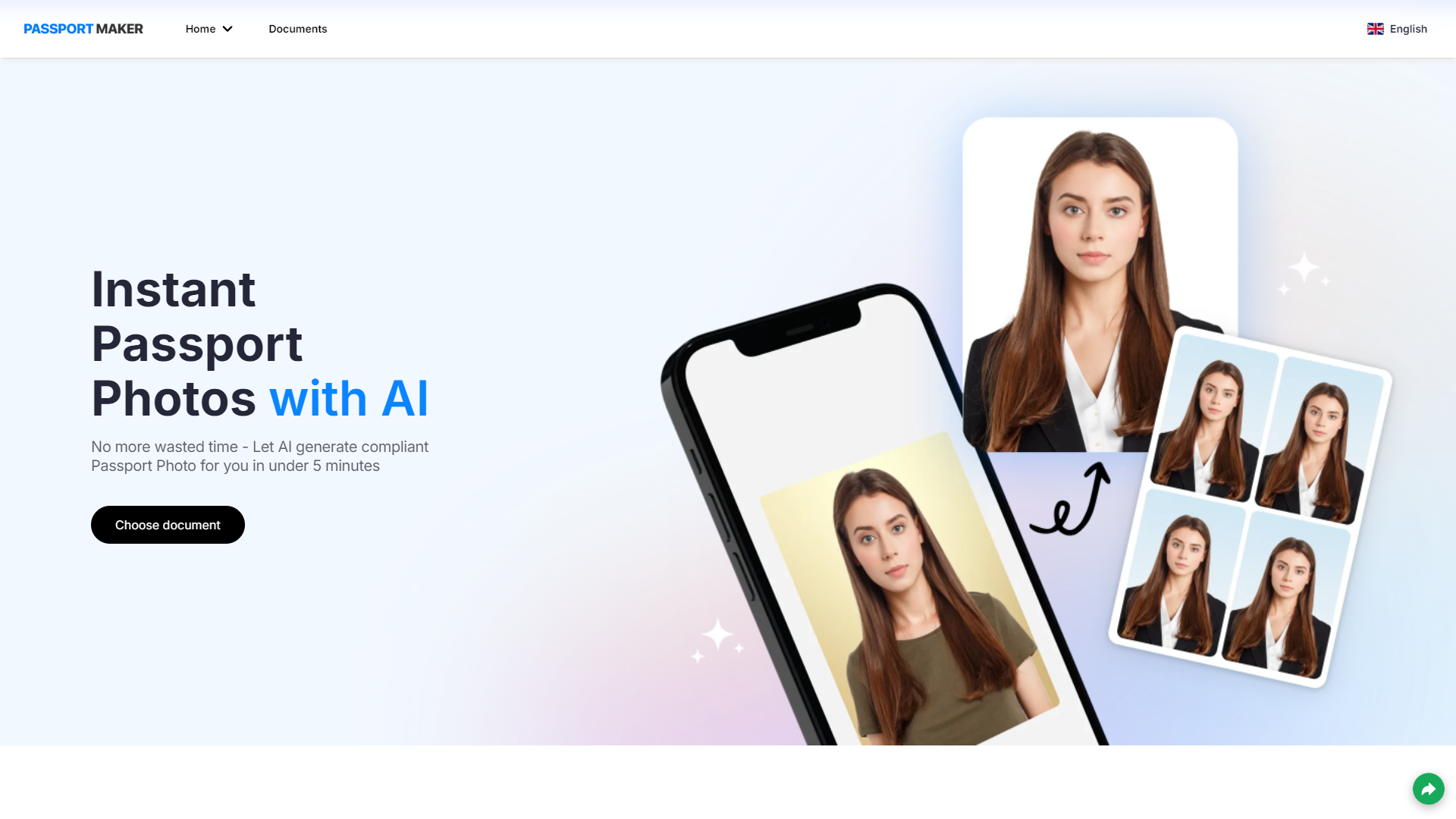
Overview
PassportMaker is an innovative AI-powered tool designed to streamline the process of creating passport photos that adhere to the specific requirements of various documents such as passports, visas, and driver's licenses. This user-friendly application allows users to select the type of document they need a photo for, upload their own image, and utilize advanced editing features. These features include automatic head detection, image cropping, background adjustment, and even the option to change clothing, ensuring that the final photo meets all necessary specifications.
The tool is equipped with AI technology that precisely adjusts lighting and ensures that the image conforms to the required dimensions and sizes for the chosen document. PassportMaker also offers practical shooting tips to help users capture the perfect photo from the start. Available for free on both Android and iOS platforms, PassportMaker enables users to create compliant passport photos conveniently from anywhere.
Additionally, the app provides answers to frequently asked questions covering topics such as how to customize background colors, upload selfies, understand supported countries' requirements, and ensure the security of personal information. PassportMaker not only simplifies the photo creation process but also ensures that the photos are accepted in applications, making it an essential tool for anyone needing official document photos.
Pros
- Real-time preview
- Multi-language support
- Photo storage options
- Cost-effective solution
- Quick processing time
Cons
- Internet dependency
- App update reliance
- Limited manual editing
- Device compatibility issues
- Feature overload
Key features
Document type selection
Choose from various document types like passports, visas, and driver's licenses to ensure compliance with specific requirements.
AI-powered editing
Automatically detects heads, crops images, adjusts backgrounds, and optimizes lighting for high-quality passport photos.
Background and clothing modification
Easily change backgrounds and clothing in your photos to meet the specific guidelines of your chosen document.
Mobile accessibility
Download the PassportMaker app on both Android and iOS platforms to create and edit passport photos anytime, anywhere.
Comprehensive FAQ support
Provides answers to frequently asked questions about background customization, selfie uploads, and specific country requirements.
Security and privacy assurance
Ensures the security of personal information and the acceptance of photos in official applications.
Alternative Ai Image Generator tools
Explore other ai image generator tools similar to PassportMaker





FAQ
Here are some frequently asked questions about PassportMaker.
How does PassportMaker ensure the photos meet document requirements?
PassportMaker uses AI to adjust lighting, size, and dimensions based on the selected document type, ensuring each photo meets official specifications.
What features does PassportMaker offer to customize my photo?
PassportMaker includes features like automatic head detection, background color adjustment, cropping tools, and clothing changes to meet specific document requirements.
How do I upload my photo to PassportMaker?
Simply open the app, select the document type, and upload your image from your device. The AI will guide you through any necessary adjustments.
How does PassportMaker handle user privacy and security?
PassportMaker prioritizes user security by employing advanced encryption methods to protect personal information and photos uploaded to the app.
Can I use PassportMaker to create photos for any country's passport or visa?
Yes, PassportMaker supports photo requirements for numerous countries, allowing users to select and conform to different national standards for passports and visas.
Is PassportMaker free to use on all platforms?
Yes, PassportMaker is available for free on both Android and iOS platforms, providing a convenient way to create compliant passport photos from anywhere.
What tips does PassportMaker provide for taking the perfect photo?
PassportMaker offers tips on proper lighting, positioning, and attire to help users capture a photo that meets all the necessary criteria for official documents.
Can I change the background color in my photo using PassportMaker?
Yes, PassportMaker allows users to customize the background color of their photos to comply with the specific requirements of the document they are applying for.







