
Overview
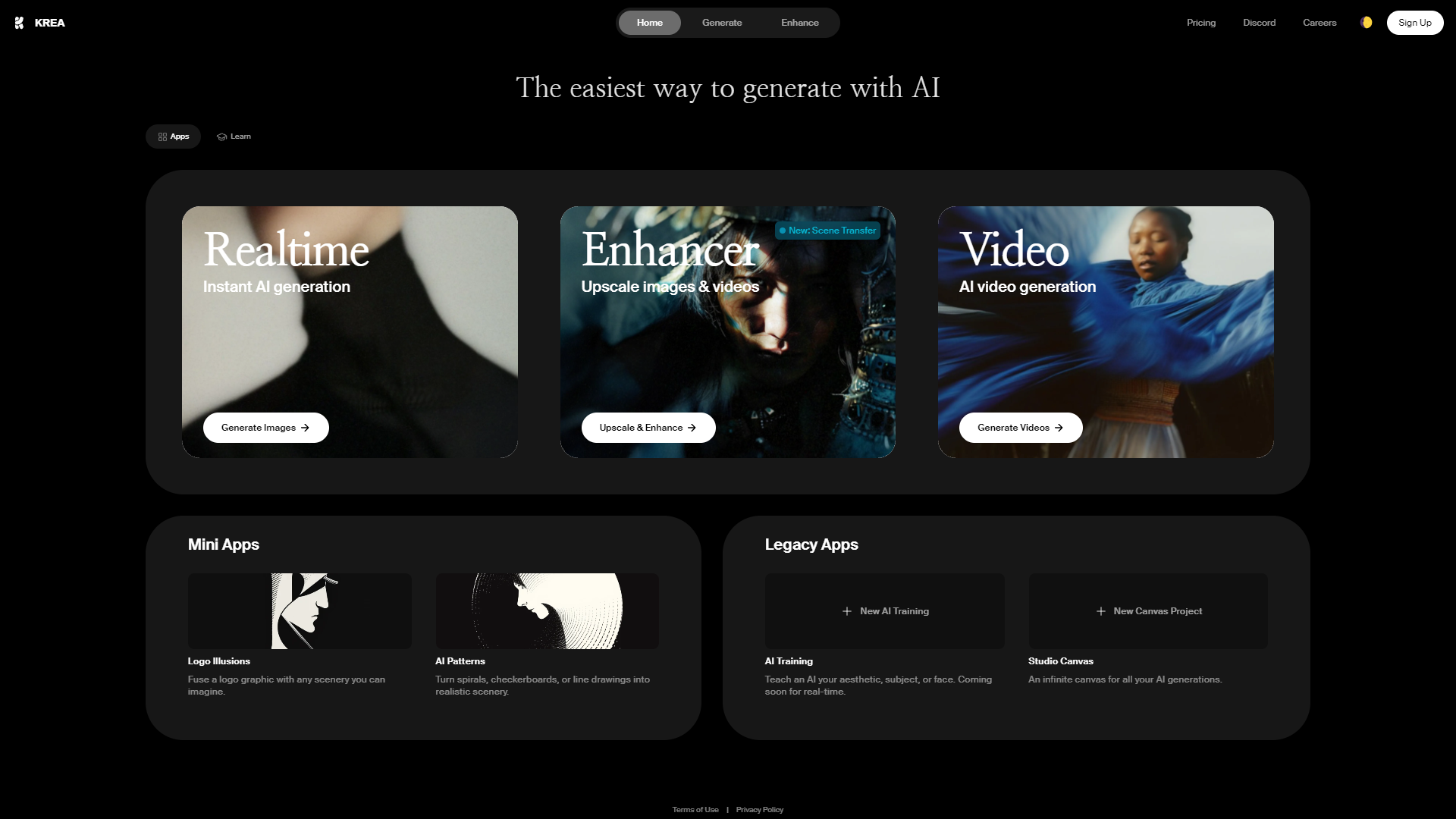
KREA is an advanced AI-powered platform designed to revolutionize the creation and enhancement of visual content. It provides tools for generating high-quality images and videos based on user prompts, leveraging cutting-edge AI models like DALL-E. KREA caters to a wide range of creative professionals, including graphic designers, video editors, and digital artists, enabling them to produce stunning visuals quickly and efficiently.
The platform offers features like real-time image generation, video enhancement, and specialized mini apps for creating logos, patterns, and other design elements. Users can upload their images, train the AI, and generate visuals on a customizable canvas, making it ideal for various applications such as marketing, e-commerce, entertainment, and more.
KREA's robust upscaling capabilities allow users to improve the resolution and quality of images, making it perfect for enhancing old photos or creating high-resolution textures for video games and 3D models. The platform's intuitive interface and community-driven approach make it accessible to users of all skill levels, while its commitment to continuous improvement ensures it remains at the forefront of AI creativity tools.
Pros
- Boosts creativity
- User-friendly interface
- Saves time
- Versatile applications
Cons
- Imperfect generations
- Limited control
- No direct downloads
- Learning curve
Key features
AI-powered visual generation
Utilize advanced AI models like DALL-E to create high-quality images and videos based on user prompts, tailored to specific needs and creative visions.
Real-time image generation
Instantly bring your ideas to life with AI-rendered images, allowing for quick iterations and immediate feedback on creative concepts.
Advanced video enhancement
Enhance the quality and clarity of videos using AI-powered tools, making them suitable for professional applications and high-definition viewing.
Specialized mini apps
Leverage targeted AI models for specific tasks such as creating logos, patterns, and other design elements, providing versatility and precision in creative projects.
Image upscaling
Improve the resolution and detail of images for both digital use and high-quality printing, ensuring that visuals are crisp and clear regardless of their original quality.
Alternative Ai Image Generator tools
Explore other ai image generator tools similar to KREA AI

FAQ
Here are some frequently asked questions about KREA AI.
What is KREA?
KREA is an AI-powered platform designed to create and enhance visual content, providing tools for generating high-quality images and videos based on user prompts.
Is KREA suitable for beginners?
Yes, KREA features an intuitive and user-friendly interface that is accessible to users of all skill levels. However, mastering all features may require some practice.
How do I cancel my subscription to KREA?
To cancel your subscription, log into your KREA account, go to the settings page, and follow the instructions for subscription cancellation.
Does KREA offer customer support?
Yes, KREA provides customer support through various channels including email, phone, and a live chat service on their website.
How does KREA work?
KREA uses advanced AI models like DALL-E to generate visuals from text prompts. Users can upload images, train the AI, and generate new visuals on a customizable canvas.
Is there a cost to use KREA?
KREA offers both free and premium subscription plans. The free plan includes basic features, while the premium plans offer more advanced tools and capabilities.
Can I collaborate with others using KREA?
Yes, KREA supports collaboration, allowing multiple users to work on projects together in real-time.
Does KREA ensure data privacy?
Yes, KREA prioritizes data privacy and security, ensuring that all user data and interactions are protected with robust security measures.







