

Clipdrop Uncrop
Uncrop is a versatile AI-powered tool designed to enhance and expand the possibilities of photo editing, available on the Clipdrop platform. This innovative tool allows users to effortlessly uncrop photos, extending the edges of images to include more background or body parts, making it perfect for various image formats including portraits, landscapes, and more. Uncrop utilizes advanced algorithms from Stability.ai to optimize image aspect ratios, ensuring high-quality results that maintain the integrity of the original photo. In addition to its uncropping capabilities, Uncrop offers a suite of features to further refine and transform images. The "Generative Fill" feature is particularly notable, allowing users to seamlessly replace, remove, or repair elements within pictures. Other tools include the "Universal Resizer" for adjusting image dimensions, "Swap" for interchanging people in photos, and "Replace Background" to creatively alter the setting of an image. Users can also benefit from "Remove Background" for precise subject isolation and "Cleanup" for automatic removal of unwanted objects. For those looking to explore beyond basic editing, Uncrop provides additional functionalities like "Image Upscaler," "Sketch to Image," and "Reimagine," each designed to cater to specific creative needs. The platform's integration with Jasper AI for text generation further enhances its utility, making it a comprehensive solution for both professional and amateur photographers and artists. The Clipdrop Stable Diffusion XL demo offers a hands-on experience with the latest model, ensuring users can test and adapt to the tool's capabilities effectively.
Visit Website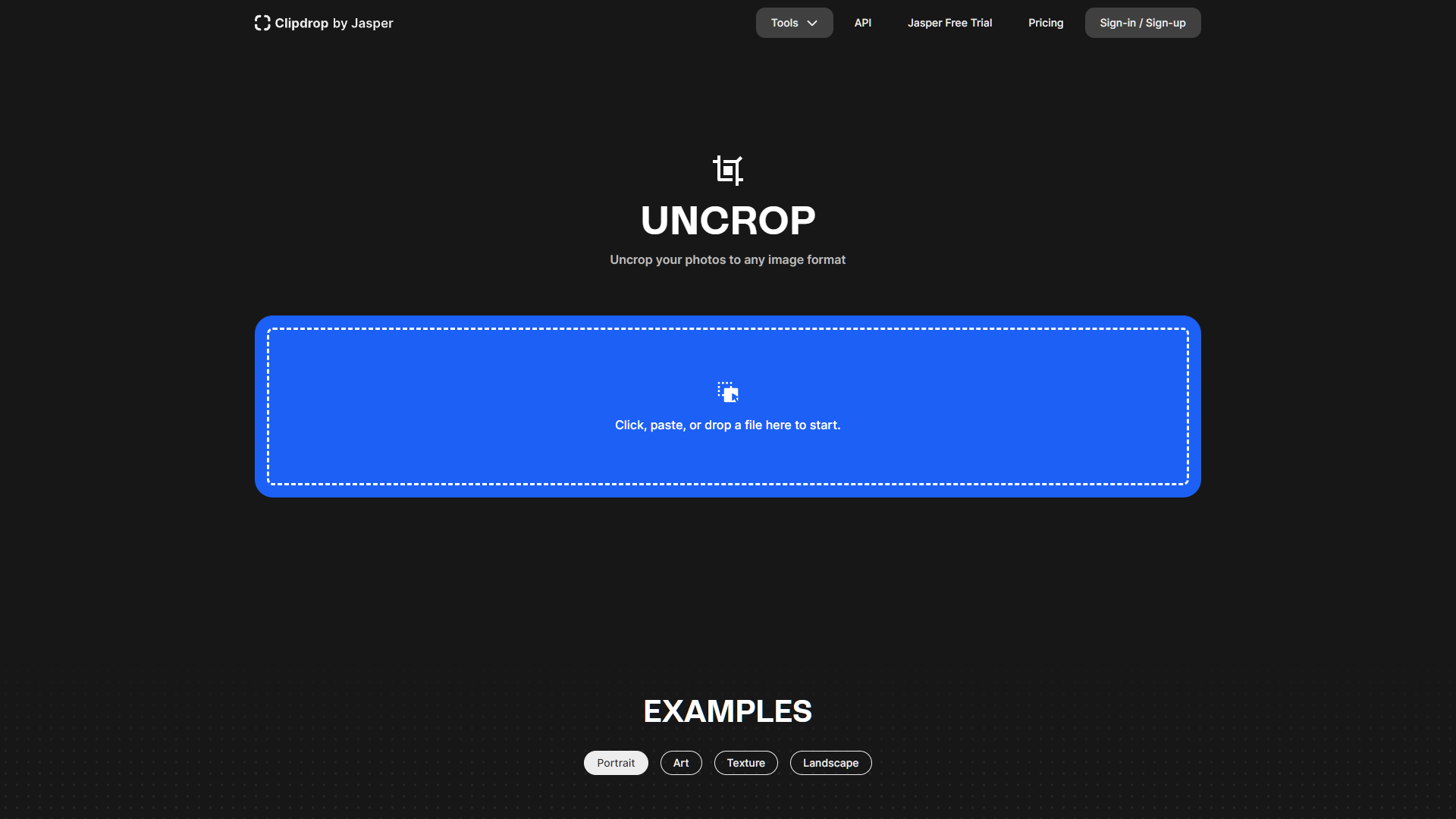
Overview
Uncrop is a versatile AI-powered tool designed to enhance and expand the possibilities of photo editing, available on the Clipdrop platform. This innovative tool allows users to effortlessly uncrop photos, extending the edges of images to include more background or body parts, making it perfect for various image formats including portraits, landscapes, and more. Uncrop utilizes advanced algorithms from Stability.ai to optimize image aspect ratios, ensuring high-quality results that maintain the integrity of the original photo.
In addition to its uncropping capabilities, Uncrop offers a suite of features to further refine and transform images. The "Generative Fill" feature is particularly notable, allowing users to seamlessly replace, remove, or repair elements within pictures. Other tools include the "Universal Resizer" for adjusting image dimensions, "Swap" for interchanging people in photos, and "Replace Background" to creatively alter the setting of an image. Users can also benefit from "Remove Background" for precise subject isolation and "Cleanup" for automatic removal of unwanted objects.
For those looking to explore beyond basic editing, Uncrop provides additional functionalities like "Image Upscaler," "Sketch to Image," and "Reimagine," each designed to cater to specific creative needs. The platform's integration with Jasper AI for text generation further enhances its utility, making it a comprehensive solution for both professional and amateur photographers and artists. The Clipdrop Stable Diffusion XL demo offers a hands-on experience with the latest model, ensuring users can test and adapt to the tool's capabilities effectively.
Pros
- Color adjustment
- Detail enhancement
- Batch processing
- Smart suggestions
- Real-time previews
Cons
- Generative fill limitations
- Resizing quality variance
- Swap feature imperfections
- Background replacement artifacts
- Background removal errors
Key features
Generative fill
Allows users to seamlessly edit, replace, or remove specific elements within an image, enhancing or cleaning up photos as needed.
Universal resizer
Enables users to adjust the size of their images to various aspect ratios without losing important details or distorting the content.
Swap feature
Offers the ability to swap people or objects in images, which is useful for creating different compositions or correcting group photos.
Replace background
Uses AI to change the background of an image, effectively teleporting the subject to new environments or contexts.
Remove background
Provides precise extraction of subjects from their backgrounds, ideal for creating clean and focused visuals or preparing images for further processing.
Cleanup tool
Automatically detects and removes unwanted objects from images, simplifying the editing process and enhancing the overall appearance of photos.
Alternative Ai Image Generator tools
Explore other ai image generator tools similar to Clipdrop Uncrop




FAQ
Here are some frequently asked questions about Clipdrop Uncrop.
What is Uncrop and how does it work?
Uncrop is an AI tool on Clipdrop that extends the edges of images, using Stability.ai algorithms to maintain the photo's quality and aspect ratio.
What is the Generative Fill feature in Uncrop?
Generative Fill in Uncrop allows users to seamlessly replace, remove, or repair elements within photos, enhancing the overall composition and detail.
What does the Swap feature do in Uncrop?
The Swap feature in Uncrop lets users interchange people or objects within photos, offering creative flexibility in image composition.
What additional functionalities does Uncrop offer for creative editing?
Uncrop provides features like Image Upscaler, Sketch to Image, and Reimagine, each catering to different creative needs and enhancing photo quality.
Can Uncrop handle different image formats like portraits or landscapes?
Yes, Uncrop is designed to work effectively with various image formats including portraits and landscapes, adapting to the specific needs of each format.
How does the Universal Resizer feature benefit users in Uncrop?
The Universal Resizer helps users adjust the dimensions of their images without compromising on quality, making it easier to fit different layout requirements.
How can I use Uncrop to change the background of an image?
Uncrop includes a Replace Background tool that enables users to alter the setting of their images creatively and effortlessly.
How does the integration with Jasper AI enhance Uncrop's capabilities?
The integration with Jasper AI in Uncrop allows for advanced text generation, adding a layer of utility for users looking to incorporate text into their edited images.







