
Overview
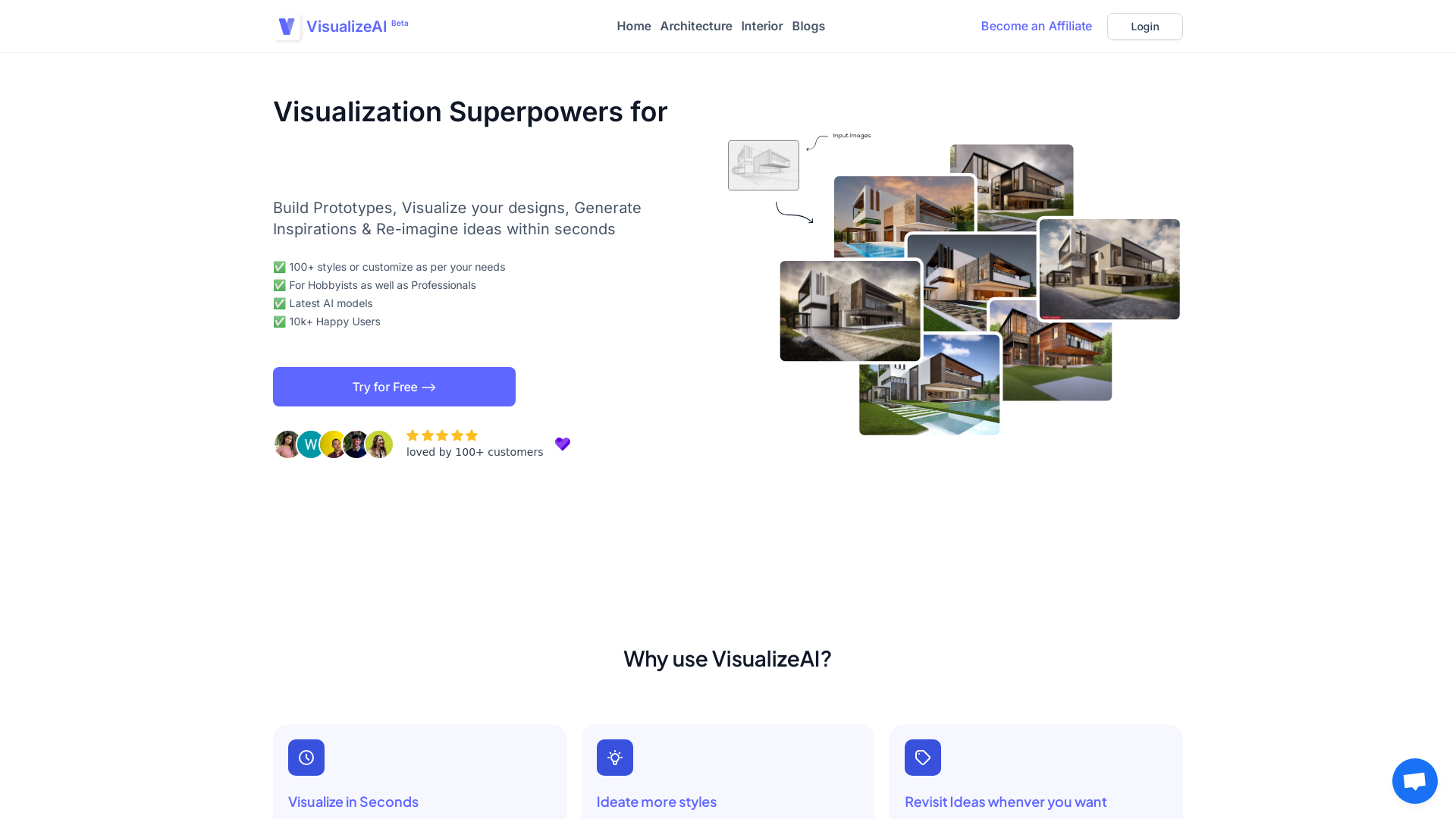
VisualizeAI revolutionizes the workflow of interior designers and enthusiasts by offering a rapid, efficient design visualization process. With its user-friendly interface, it allows professionals and hobbyists alike to convert basic sketches or photos into highly detailed renders in seconds. The tool boasts over 100 styles and customization options, catering to diverse creative preferences and project needs, ensuring users find the perfect look for their clients. Users can also easily revisit and refine past designs to match evolving ideas.
This AI-driven tool not only speeds up the design process but also enhances creativity by quickly generating multiple design inspirations and exploring various material and color palettes. Whether you're restyling an existing space or creating something entirely new, VisualizeAI provides the flexibility and support needed for any project. With an ever-growing user base, it continues to be a favorite among interior designers, enhancing their creative output and making the design process more enjoyable and less time-consuming.
Pros
- Saves significant design time
- Enhances creative exploration
- Supports diverse design needs
Cons
- Requires good quality inputs
- Limited offline access
- Style customization restrictions
Key features
Rapid idea visualization
VisualizeAI enables users to quickly transform simple sketches into detailed designs, saving hours that would be spent on traditional design software. This efficiency enhances productivity and creativity in the design process.
Over 100 design styles
The tool offers a comprehensive array of over 100 styles, allowing designers to experiment with and select the best fit for their projects. This range of options ensures creative versatility and satisfaction.
Revisit past designs quickly
Users can easily access and modify previously saved visualizations, ensuring that evolving design concepts can be explored without losing valuable work.
AI-driven render transformation
Utilizing advanced AI models, VisualizeAI converts basic inputs into high-quality renders. This makes exploring different color palettes and materials much simpler for designers.
Company Information
Alternative Ai Graphic Design tools
Explore other ai graphic design tools similar to VisualizeAI






FAQ
Here are some frequently asked questions about VisualizeAI.
What is VisualizeAI?
VisualizeAI is an AI-powered design tool that assists interior designers in transforming sketches and basic designs into high-quality renders. It offers over 100 style choices and saves significant time on visualization, making the design process more efficient and creative.
Can VisualizeAI be used offline?
VisualizeAI primarily functions as an online platform, requiring an active internet connection to process design transformations and utilize its features. This ensures users have access to the latest AI models and style updates whenever they are designing.
What are the limitations of VisualizeAI's styles?
While VisualizeAI offers over 100 styles, some advanced customizations might not fully meet every designer's requirements. The tool continually updates its style library, but users seeking highly specific aesthetics might find limitations in current offerings.
Can I revisit my past designs with VisualizeAI?
Yes, VisualizeAI allows users to save and revisit previous designs easily. This feature ensures that evolving ideas can be explored and modified, providing continuity in design work and the flexibility to adapt to changing client preferences.
How does VisualizeAI convert sketches into 3D renders?
VisualizeAI uses advanced AI models to transform sketches or photos into detailed 3D renders. Users upload their designs, select preferred styles, colors, and materials, and within seconds, the tool generates enhanced visuals suited for presentations or further development.
Is VisualizeAI suitable for beginners?
Yes, VisualizeAI is designed for both beginners and experienced professionals. Its user-friendly interface and straightforward functionality make it accessible to hobbyists while still offering the depth and features needed by professional interior designers.
How can VisualizeAI boost creativity in design projects?
By rapidly converting ideas into visual forms, VisualizeAI frees up designers to focus on creative exploration rather than technical rendering. This allows them to experiment with different materials, colors, and styles, fostering more innovative design outcomes.
What is the pricing model for VisualizeAI?
VisualizeAI offers a basic plan starting at 19$ per month, with the option to try the service for free before committing to a paid plan. Users can choose plans based on their specific needs, which include different credit allocations and team member access.







