

Overview
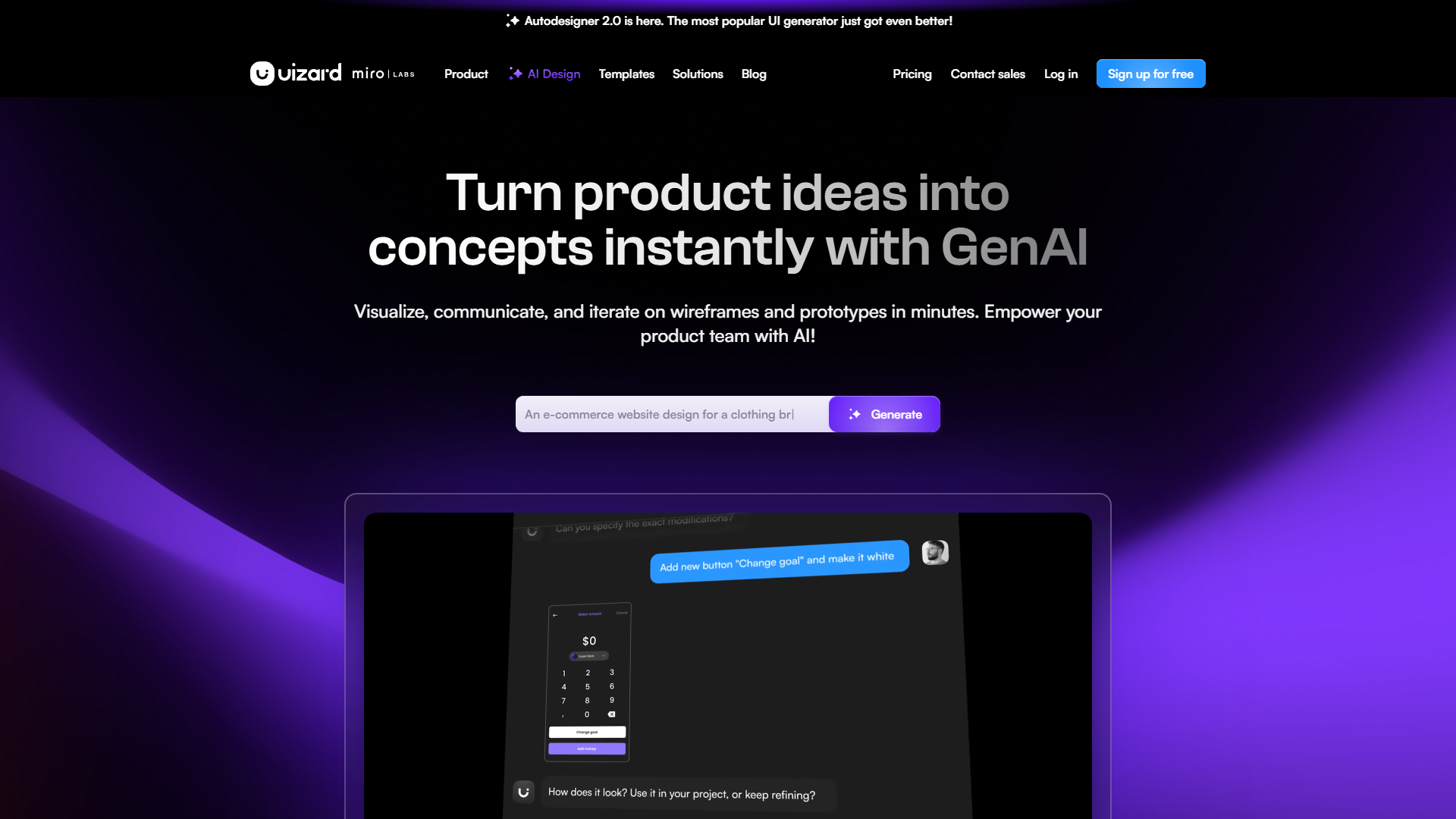
Uizard revolutionizes the way designers and developers visualize ideas with its easy-to-use AI design tool. The platform is designed to transform simple text prompts into complete UI designs, wireframes, and mockups, making it a perfect solution for individuals with or without design expertise. With features like Autodesigner 2.0, Uizard allows users to generate screens, projects, and themes in mere seconds. This feature is particularly helpful for swiftly turning concepts into visuals, boosting productivity, and ensuring design iterations are seamless and effortless.
The tool is also equipped with capabilities to convert screenshots into editable designs and digitize wireframes, enriching the design toolset for professionals and enthusiasts alike. It offers a diverse range of templates to kickstart projects, from mobile apps to website designs, enabling a quick start. By facilitating real-time collaboration and providing easy access to a variety of design templates, Uizard aims to enhance creativity and innovation in the design process, making it suitable for startups, enterprises, and individual creators.
Pros
- Enhanced productivity functionality
- User-friendly interface
- Wide template selection
- Time-saving AI features
- Versatile design applications
Cons
- Learning curve initially present
- Limited offline capabilities
- High dependence on AI
- Complexity in advanced functionalities
- Initial setup efforts
Key features
Autodesigner AI features
Uizard's Autodesigner 2.0 allows users to create entire UI screens and themes from simple text prompts, making design more accessible and efficient.
Editable design mockups
Turn screenshots into editable mockups easily, enabling effortless tweaking and customization of designs according to user needs.
AI-powered wireframe conversion
Transform hand-drawn wireframes into digital formats, simplifying the prototyping process for designers and developers alike.
Diverse design templates
Access a wide range of pre-made templates for mobile apps, websites, and more, offering users a quick starting point for their projects.
Real-time collaboration tools
Enable teams to work together seamlessly using Uizard's multiplayer collaboration features, enhancing productivity and team synergy.
Pricing
| Plan | Price | Description |
|---|---|---|
| Uizard Free | Free | Uizard Free grants lifetime access to the Uizard app. Free users can create 3 projects and have access to 10 free templates. |
| Uizard Pro | $12.00 Per Month | Access to the full Uizard app including everything from Uizard Free as well as up to 100 projects, unlimited screens, and access to Uizard's entire, extensive template library. |
| Uizard Business | $49.00 Per Month | Uizard for large organizations... includes everything from Uizard Free and Uizard Pro as well as unlimited access to all features and dedicated customer support. |
Rating Distribution
Company Information
User Reviews
View all reviews on G2Fantastic tool for realising and visualising app creation
What do you like best about Uizard?
The AI generated screens help keep the entire project consistent and clean allowing for more time creating valuable UX designs without wasting time on the minor details.
What do you dislike about Uizard?
Only being able to get the react and css code for individua...
Uizard: Redefining Design - An AI-Powered Revolution
What do you like best about Uizard?
Uizard's Autodesigner transforms ideas effortlessly.
What do you dislike about Uizard?
Lack of advanced customization options..
What problems is Uizard solving and how is that benefiting you?
I was working on a project for our company in which we had product des...
The best tool to provide our UI/UX the perfect prototypes I need for my features
What do you like best about Uizard?
The best tool to use AI for suggestions has now been upgraded to version 2.0. In this version, we can redesign a single screen and expand the process (cycle) with another screen. This enhancement provides me, as a project manager, with the ultimate tool to move th...
Making quintessential professional wireframes have never been easier!!**
What do you like best about Uizard?
Uizard... what a tool! I'm a professional software engineer for london banks, and I came across Uizard as a potential tool I needed for a solo side project I am working on at the moment building a full stack iOS 17 SwiftUI GraphQL project, and it's really been fan...
It's like I now have a cheat code in design.
What do you like best about Uizard?
With its immediate prototyping using AI and an immense library of reusable assets, it makes my job a lot easier as a strategist to figure out the product direction strategy and it helps us envision quickly. It has just made the rapid prototyping process hyper-prot...
Alternative Ai Graphic Design tools
Explore other ai graphic design tools similar to Uizard






FAQ
Here are some frequently asked questions about Uizard.
How does Uizard's Autodesigner 2.0 work?
Uizard's Autodesigner 2.0 allows users to generate complete UI screens from text prompts. This feature utilizes AI to understand and visualize the user's concepts, transforming them into tangible design outputs quickly and efficiently.
Is there a free plan available for Uizard?
Yes, Uizard offers a free plan for users who want to explore its basic features. It includes limited AI generations and access to templates, making it ideal for students and hobbyists.
How does Uizard support collaboration?
Uizard enhances collaboration with real-time multiplayer features, allowing team members to work together seamlessly, comment on designs, and share feedback instantaneously to ensure better outcomes.
Can Uizard handle complex projects?
Yes, Uizard is designed to manage both simple and complex design projects, offering features such as unlimited project creation in its business plan to accommodate larger team and organizational needs.
Can Uizard convert hand-drawn wireframes into digital formats?
Yes, Uizard can facilitate the conversion of hand-drawn wireframes into digital formats, making it easier for designers to move from ideation to creation without needing extensive technical skills.
What types of templates are available in Uizard?
Uizard provides a variety of templates for different design projects, including mobile app designs, website layouts, and tablet app templates. These templates offer a quick start, simplifying the design process.
What is the pricing structure for Uizard’s paid plans?
Uizard's paid plans start from the Pro plan, costing 12$ per month when billed annually. This plan includes more AI generations per month compared to the free version and additional features.
What makes Uizard different from other design tools?
Uizard sets itself apart with its AI-driven design approach, enabling rapid visualization from text prompts and turning screenshots into editable mockups. This tool minimizes the need for extensive design knowledge, catering to professionals and novices alike.







