

Infographic Ninja
AI infographic creation, accessibility features, customizable templates.
Visit Website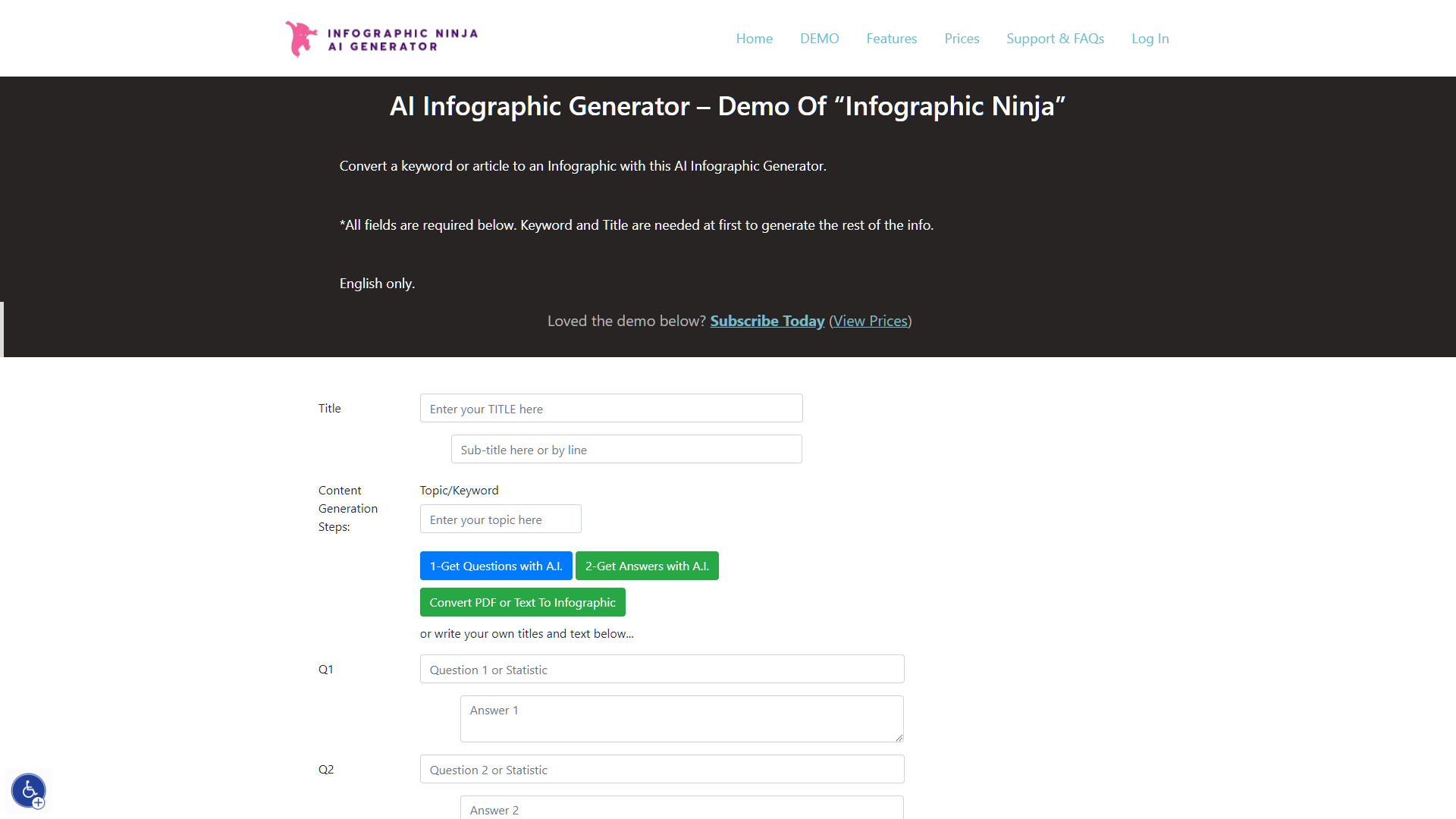
Overview
Infographic Ninja is an advanced AI Infographic Generator that turns keywords or entire articles into visually engaging infographics. It offers a variety of customizable templates, allowing users to adapt designs to fit specific branding or stylistic needs. With features like automatic icon selection and icon customization, creating professional-quality infographics is quick and easy.
Beyond aesthetics, the tool enhances content functionality. Users can generate Q&A content directly from keywords, perfect for improving SEO with FAQSchema.org integration. This not only boosts search engine visibility but also adds value to the infographics, making them both informative and interactive.
Users can import text from blog articles or PDFs for seamless content repurposing. Before finalizing, they can preview infographics, make adjustments, and share them directly on social media or embed them into WordPress sites with generated codes. The tool's fully customizable color schemes ensure that each infographic aligns with the user's preferred palette.
Additionally, the website includes an Accessibility Menu with options like Keyboard Navigation, Stop Animations, Big Cursor, Uncolor Display, and contrast adjustments, ensuring accessibility for users with disabilities. This focus on inclusivity makes the tool especially valuable for marketing teams looking to streamline content creation and distribution using AI.
Pros
- Drag-and-drop editor
- Real-time collaboration
- Data import capability
- Interactive elements
- High-resolution downloads
Cons
- Learning curve
- Overwhelming options
- AI limitations
- Template rigidity
- Performance issues
Key features
Template variety
Choose from a wide range of infographic templates to best match your content and style preferences.
Icon customization
Personalize your infographics with customizable icons, adjusting size and color to fit your design needs.
Automatic icon selection
The AI automatically suggests relevant icons based on the content of your article or keywords, simplifying the design process.
Q&A content generation
Generate engaging Q&A content for your infographics based on the provided keywords, enhancing viewer interaction.
SEO enhancement tools
Improve your search engine visibility with FAQSchema.org integration, making your content more discoverable online.
Social media integration
Easily share your created infographics on social media platforms or embed them into WordPress sites with provided codes.
Alternative Ai Graphic Design tools
Explore other ai graphic design tools similar to Infographic Ninja





FAQ
Here are some frequently asked questions about Infographic Ninja.
How does Infographic Ninja ensure the infographics match my brand's color scheme?
Infographic Ninja offers fully customizable color schemes, allowing users to adjust the colors to perfectly match their brand's palette, ensuring consistency across all visual content.
What types of customization can I do with icons in Infographic Ninja?
Infographic Ninja allows users to automatically select icons relevant to their content and offers extensive customization options for these icons to enhance the infographic’s visual appeal.
Is there a preview option available before finalizing an infographic on Infographic Ninja?
Yes, Infographic Ninja provides a preview feature that allows users to see their infographic and make necessary adjustments before finalizing and sharing it.
What accessibility features does Infographic Ninja offer?
Infographic Ninja includes an Accessibility Menu with features like Keyboard Nav, Stop Animations, Big Cursor, Uncolor Display, and contrast adjustments, making it accessible to users with disabilities.
Can I import content from a PDF to create an infographic with Infographic Ninja?
Yes, Infographic Ninja supports importing text directly from PDFs or blog articles, enabling users to easily repurpose existing content into visually appealing infographics.
How does Infographic Ninja enhance SEO for my content?
Infographic Ninja can generate Q&A content from keywords, which is ideal for integrating with FAQSchema.org, thereby improving SEO and boosting search engine visibility.
How can I share my infographic created with Infographic Ninja on social media?
After creating your infographic, you can directly share it on social media platforms or embed it into WordPress sites using the generated codes provided by Infographic Ninja.
Can Infographic Ninja create interactive infographics?
Yes, Infographic Ninja enhances the functionality of infographics by making them interactive, particularly through the integration of informative Q&A content, which engages viewers and adds value.







