

Screenshot to Code
AI-powered screenshot conversion to clean code tool.
Visit Website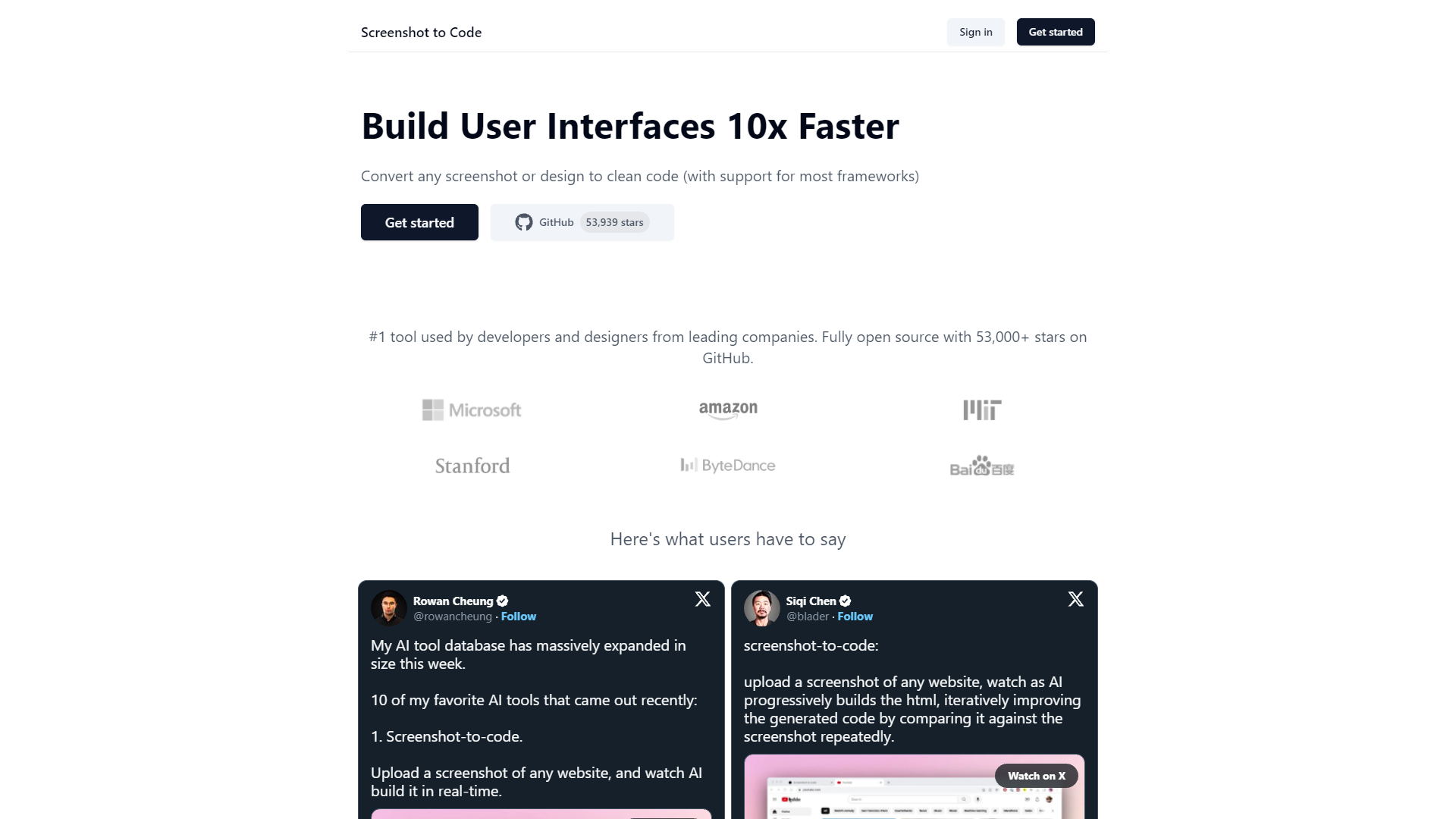
Overview
Screenshot to Code is a revolutionary tool that transforms screenshots or designs directly into clean, usable code, catering to a variety of popular frameworks. This innovative platform is highly regarded in the tech community, boasting over 53,000 stars on GitHub and receiving accolades from developers and designers at leading companies. The tool leverages advanced AI technology, including GPT-4 Vision and DALL-E 3, to enhance its code generation and image simulation capabilities.
The process involves the AI analyzing the input screenshot and iteratively refining the generated HTML code to ensure it closely matches the original design. This iterative process allows the tool to progressively improve the output, ensuring high fidelity and functionality in the final code. Users such as Rowan Cheung, Siqi Chen, Natia Kurdadze, and the team at NoCodeDevs have publicly praised its efficiency and accuracy on platforms like Twitter, highlighting its impact on streamlining their workflow.
Screenshot to Code stands out for its ability to quickly convert visual designs into code, significantly reducing development time and helping bridge the gap between visual concepts and technical implementation. This makes it an indispensable asset for both developers and designers aiming to accelerate project timelines and enhance productivity. Whether for rapid prototyping or final product development, Screenshot to Code provides a seamless, efficient solution for turning ideas into reality.
Pros
- Real-time collaboration
- Customizable code templates
- Automatic error detection
- Scalable processing capabilities
- Continuous updates and support
Cons
- Initial learning curve
- Dependence on visuals
- Specific framework nuances
- Resource intensity
- Limited offline functionality
Key features
AI-driven code generation
Utilizes advanced AI to transform screenshots into clean, usable code for various frameworks, enhancing developer productivity.
Support for multiple frameworks
Compatible with a wide range of programming frameworks, allowing seamless integration into existing projects.
Iterative code refinement
Employs a unique iterative process to compare and refine the generated code against the original screenshot for accuracy.
Integration of GPT-4 Vision
Leverages the latest GPT-4 Vision technology to understand and convert visual elements into corresponding code structures.
Enhanced with DALL-E 3
Uses DALL-E 3 to create visually similar images that can assist in the design and development process.
Highly endorsed by professionals
Received positive feedback from leading developers and designers, evidenced by its high rating and endorsements on social media.
Alternative Ai Development tools
Explore other ai development tools similar to Screenshot to Code



FAQ
Here are some frequently asked questions about Screenshot to Code.
What frameworks does Screenshot to Code support?
Screenshot to Code supports a variety of popular frameworks including React, Vue, Angular, and more, allowing for seamless integration into most development environments.
Can Screenshot to Code handle complex designs?
Yes, Screenshot to Code is capable of handling complex designs, utilizing GPT-4 Vision and DALL-E 3 to ensure detailed and precise code generation.
How does Screenshot to Code improve project timelines?
Screenshot to Code significantly reduces development time by quickly converting visual designs into clean, usable code, thus accelerating both prototyping and final product development.
How does the iterative process work in Screenshot to Code?
The iterative process in Screenshot to Code involves the AI analyzing the input screenshot and refining the generated HTML code to ensure it matches the original design closely.
How accurate is the code generated by Screenshot to Code?
The code generated by Screenshot to Code is highly accurate, closely matching the original design thanks to its advanced AI technology and iterative refinement process.
Is Screenshot to Code suitable for both developers and designers?
Yes, Screenshot to Code is designed to be an indispensable tool for both developers and designers, helping to bridge the gap between visual concepts and technical implementation.
What has been the community response to Screenshot to Code?
The tech community has highly praised Screenshot to Code, with over 53,000 stars on GitHub and positive feedback from developers and designers at leading companies.
Who are some notable users of Screenshot to Code?
Notable users of Screenshot to Code include Rowan Cheung, Siqi Chen, Natia Kurdadze, and the team at NoCodeDevs, who have praised its efficiency and accuracy on platforms like Twitter.







