

Framer AI
Versatile, no-code builder for interactive, responsive websites.
Visit Website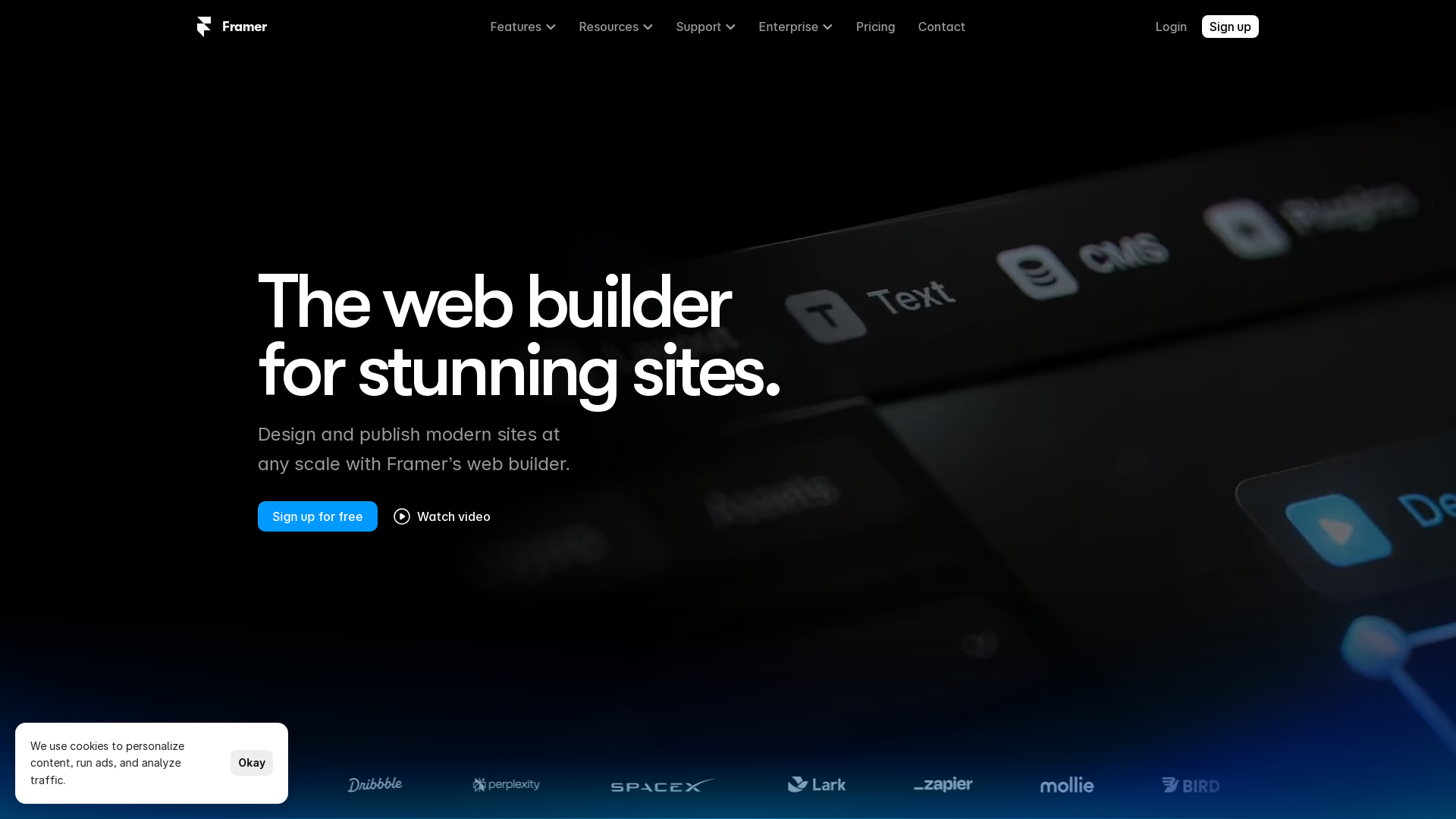
Overview
Framer is a dynamic, no-code platform designed for building interactive and visually stunning websites effortlessly. Ideal for both novices and seasoned designers, Framer features a user-friendly drag-and-drop interface that simplifies the web design process. It includes comprehensive tools such as built-in vector editing, which allows for intricate graphic design directly within the platform, and responsive design capabilities, ensuring websites look great on any device.
One of Framer's standout features is its ability to integrate with popular design software like Figma. This integration enables designers to import their Figma projects into Framer, where they can enhance their designs with advanced animations, transitions, and interactive elements, adding a layer of sophistication and engagement to web experiences.
Real-time collaboration is another key feature, facilitating teamwork by allowing multiple users to work on a project simultaneously. Whether you're a hobbyist or a professional, Framer offers various pricing plans to suit different needs, including a free tier and premium options that support custom domains and e-commerce functionalities. This makes Framer a versatile choice for anyone looking to create high-quality, functional, and adaptive websites with ease.
Pros
- Extensive component library
- Interactive prototyping
- Code export functionality
- Plugin ecosystem
- Comprehensive learning resources
Cons
- Steep learning curve
- Limited template variety
- Performance issues
- Browser dependency
- Restricted offline access
Key features
Drag-and-drop interface
Enables easy layout adjustments and element placement without coding, making it user-friendly for beginners and professionals alike.
Vector editing tools
Built-in capabilities allow users to create and edit vector graphics directly within the platform, enhancing design flexibility and precision.
Real-time collaboration
Multiple users can work on the same project simultaneously, facilitating teamwork and speeding up the design process.
Responsive design features
Offers tools to ensure websites look great on all devices, automatically adjusting layouts to fit different screen sizes.
Integration with Figma
Allows designers to import their Figma projects into Framer, streamlining workflow and expanding creative possibilities.
Advanced animations and transitions
Supports the creation of engaging and interactive elements, elevating the user experience on websites designed with Framer.
Alternative Ai Development tools
Explore other ai development tools similar to Framer AI





FAQ
Here are some frequently asked questions about Framer AI.
How do I import my Figma projects into Framer?
You can import your Figma projects into Framer by using the Figma integration feature. Simply connect your Figma account and select the project you wish to import from the dashboard.
What devices are supported by Framer's responsive design capabilities?
Framer's responsive design capabilities ensure that websites look great and function well on all devices, including desktops, tablets, and smartphones.
What are the main benefits of using Framer's built-in vector editing tools?
Framer's built-in vector editing tools allow you to create and edit intricate graphics directly within the platform, eliminating the need for external graphic design software.
What types of animations and transitions can I add to my website with Framer?
With Framer, you can add a variety of sophisticated animations and transitions to enhance the interactivity and engagement of your website.
Can I use Framer if I have no prior experience in web design?
Yes, Framer is designed to be user-friendly for novices while also providing advanced features for seasoned designers, thanks to its intuitive drag-and-drop interface.
Is real-time collaboration available on all Framer plans?
Real-time collaboration is available on all Framer plans, allowing multiple users to work on a project simultaneously, regardless of the plan they are on.
Are there any e-commerce functionalities available in Framer?
Yes, Framer offers e-commerce functionalities in its premium plans, which support custom domains and advanced features suitable for building professional online stores.
How does Framer's free tier differ from the premium options?
Framer's free tier offers basic features suitable for personal projects and learning, while premium options provide advanced features like custom domains and e-commerce functionalities for professional use.







