

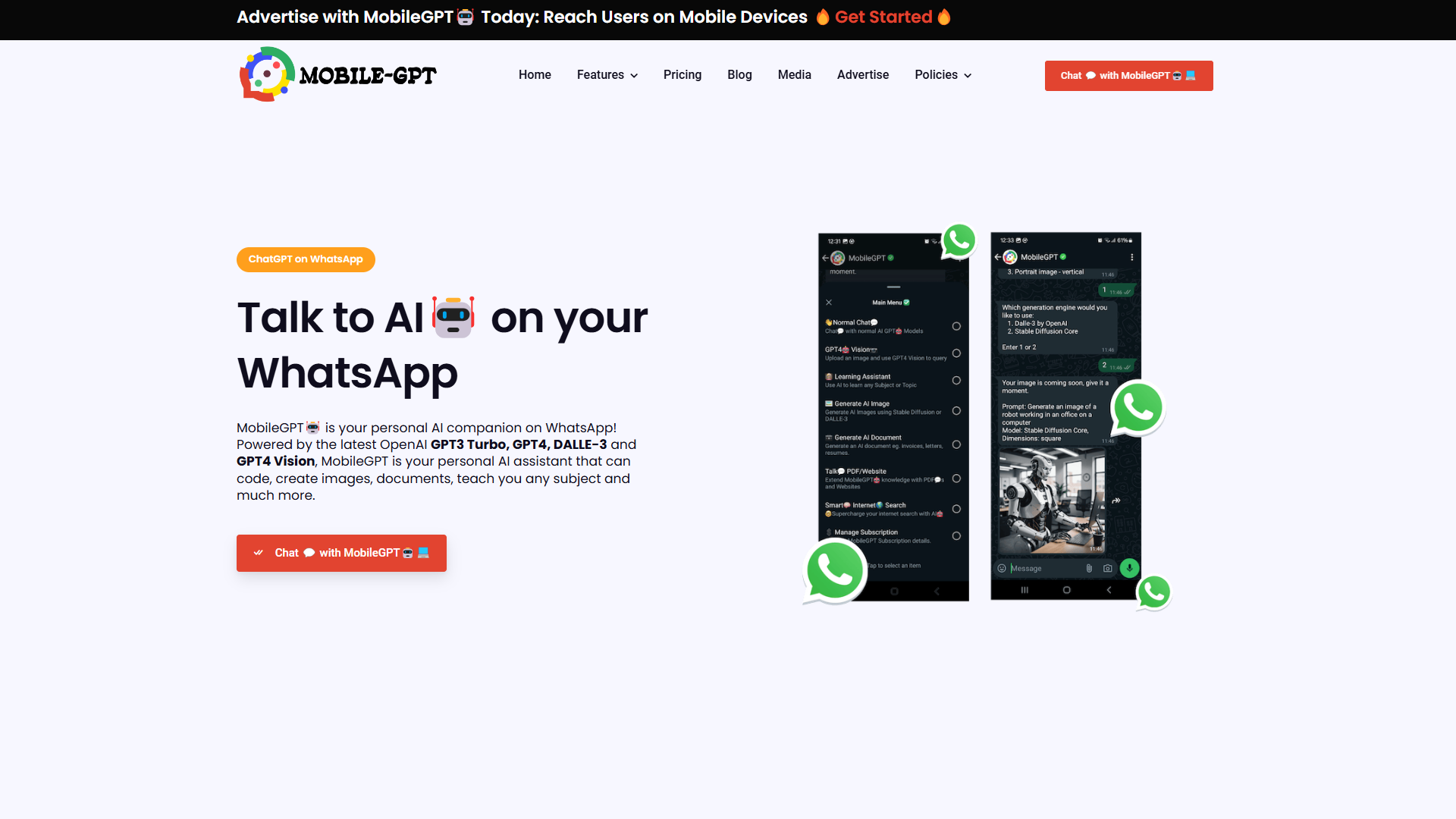
Overview
MobileGPT is a versatile AI tool that revolutionizes the way users interact with technology by integrating advanced AI capabilities directly into WhatsApp, a familiar and widely-used messaging platform. This integration makes AI accessible, convenient, and usable for a diverse range of tasks, from generating high-quality images to crafting personalized documents.
With MobileGPT, users can harness the power of advanced AI models like GPT-4 for intuitive text interactions, document creation, and image analysis. Whether you need to draft a document, generate standout images, or engage in smart, context-aware conversation, MobileGPT provides a seamless experience. This tool not only enhances productivity but also transforms everyday interactions into enriched, value-added experiences.
Designed to be user-friendly, MobileGPT caters to educational needs with its personal learning assistant feature, enabling users to access curated content, quizzes, and constructive feedback. It also empowers creative and business processes by offering tools for generating professional documents and photorealistic images, making it an indispensable companion for personal and professional development.
Pros
- Provides intuitive user interface
- Supports diverse document types
- Offers educational resources
- Seamless cross-device experience
- Real-time response delivery
Cons
- Limited multilingual translations
- Requires WhatsApp for access
- Functionality limited to online use
- Dependence on AI accuracy
- Customization limitations
Key features
AI conversational capabilities
MobileGPT utilizes GPT-4 technology for its conversational abilities, allowing users to engage in intelligent dialogues right within WhatsApp, making communication both insightful and personal.
Stunning image generation
By leveraging the power of Stable Diffusion and DALLE-3, MobileGPT enables users to create breathtaking, photorealistic images directly through WhatsApp, responding to simple text prompts.
Versatile document creation
MobileGPT transforms user input into an array of Word documents, from resumes to project reports, effectively democratizing advanced document creation tools for all users.
Image description functionality
Through GPT-4 Vision, MobileGPT understands uploaded images, offering detailed descriptions and insights, which is ideal for contextual clarifications and knowledge enhancement.
Interactive learning assistant
Equipped with a personalized learning module, MobileGPT brings educational content, quizzes, and feedback into chat, making learning flexible, interactive, and convenient.
Alternative Ai Chatbot tools
Explore other ai chatbot tools similar to MobileGPT






FAQ
Here are some frequently asked questions about MobileGPT.
What is MobileGPT?
MobileGPT is a revolutionary WhatsApp application that integrates the advanced capabilities of the GPT-4 engine to provide users with a personal AI assistant directly on their mobile devices. MobileGPT offers seamless AI conversations similar to ChatGPT, AI-generated images, AI-crafted documents in Word format, and advanced language translations. By bringing these powerful AI features to WhatsApp, MobileGPT aims to transform the way users communicate, create, and collaborate on-the-go, enhancing their overall messaging experience.
How does MobileGPT work?
MobileGPT operates on WhatsApp by employing the GPT-4 engine to carry out AI-enhanced functionalities. Users interact through WhatsApp’s interface, sending prompts and receiving outputs such as images, documents, and translations utilizing advanced AI technology.
How does the GPT-4 engine improve MobileGPT capabilities?
The GPT-4 engine enhances MobileGPT by providing advanced language understanding, context-awareness, and creativity. It offers more human-like conversations, detailed AI-generated images, structured documents, and accurate translations.
Can MobileGPT be used on multiple devices?
Yes, MobileGPT can be accessed on multiple devices as long as they are connected to the same WhatsApp account. This feature allows seamless transitions between devices, ensuring continuous AI assistant access.
Can I get MobileGPT for free?
No, MobileGPT is a paid service that costs $20.00 per month until you cancel it. However, we offer a free 24-hour trial so you can try it out and see if it's the right fit for you.
How secure is my data with MobileGPT?
MobileGPT ensures data privacy and security through industry-standard protocols. It does not store created documents on its servers, and user data remains protected as per the privacy practices outlined on the policy page.
What type of documents can I create with MobileGPT?
Using MobileGPT, you can create diverse document types in Word format, ranging from reports and blog posts to meeting notes and marketing content, utilizing the AI’s advanced capabilities for drafting and summarizing content.
How does MobileGPT compare to traditional document tools?
MobileGPT differs from traditional document tools by incorporating AI to automate and personalize document creation directly through WhatsApp, providing a user-friendly and accessible means for generating a wide array of document types quickly.







